

About Nexus
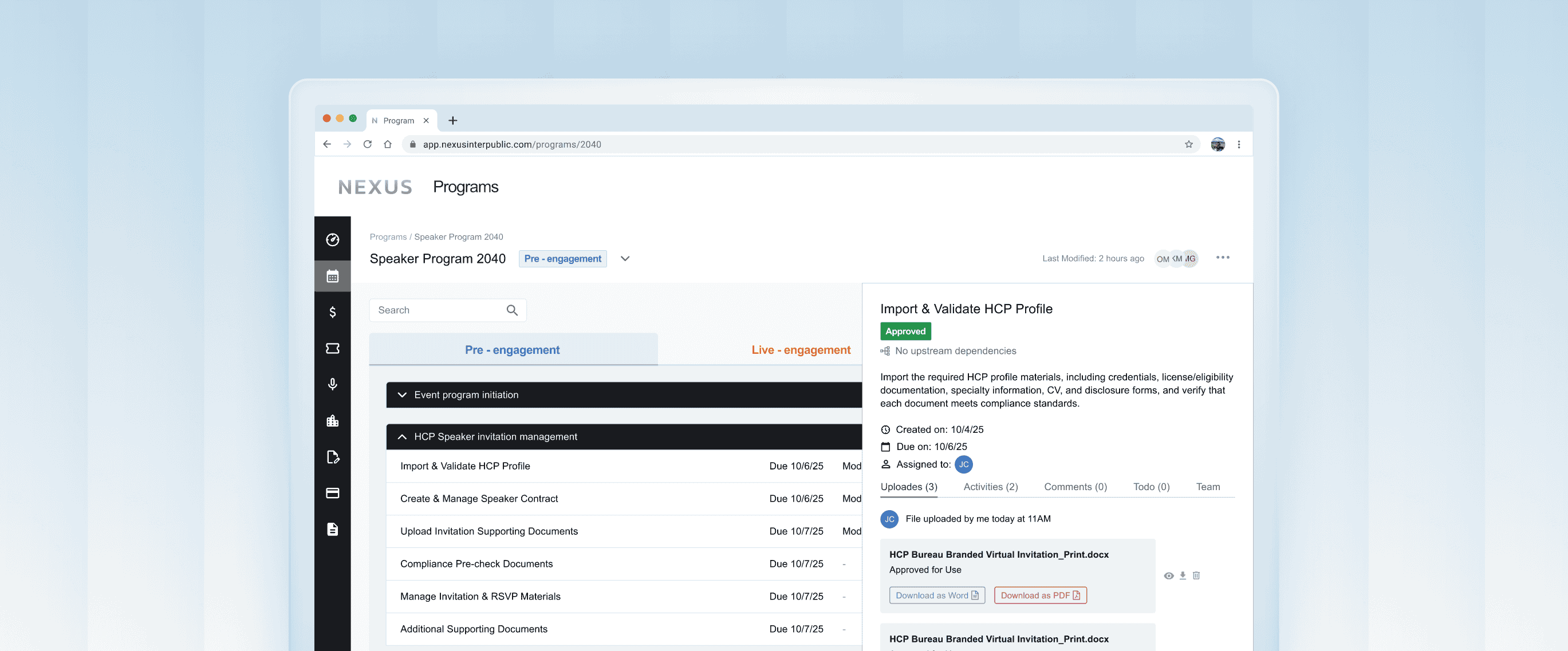
Nexus is an enterprise-grade, AI-enabled, cloud-hosted SaaS platform for end-to-end management of large-scale Speaker Bureau programs. It's a redesign of IPG Health's previous legacy event management platform. New design streamlines medical event scheduling, user roles, reporting and compliance check. Nexus supports coordinated execution across Sales, Program Managers, HCPs, and medical stakeholders
The redesign needed to scale globally while ensuring compliance with regulatory requirements, including HIPAA, the Sunshine Act, and ISP safeguards, supported by built-in role-based permissions and an intuitive UI.
TEAM
Total of 14 people:
1 PM Lead
1 Design VP
1 UX Architect
4 Product Designers
7 Software Engineers
MY ROLE
User Research
Product Design
TIME LENGTH
June 2025 - Dec 2025
PROJECT TYPE
SaaS B2B Web-based App
Timeline

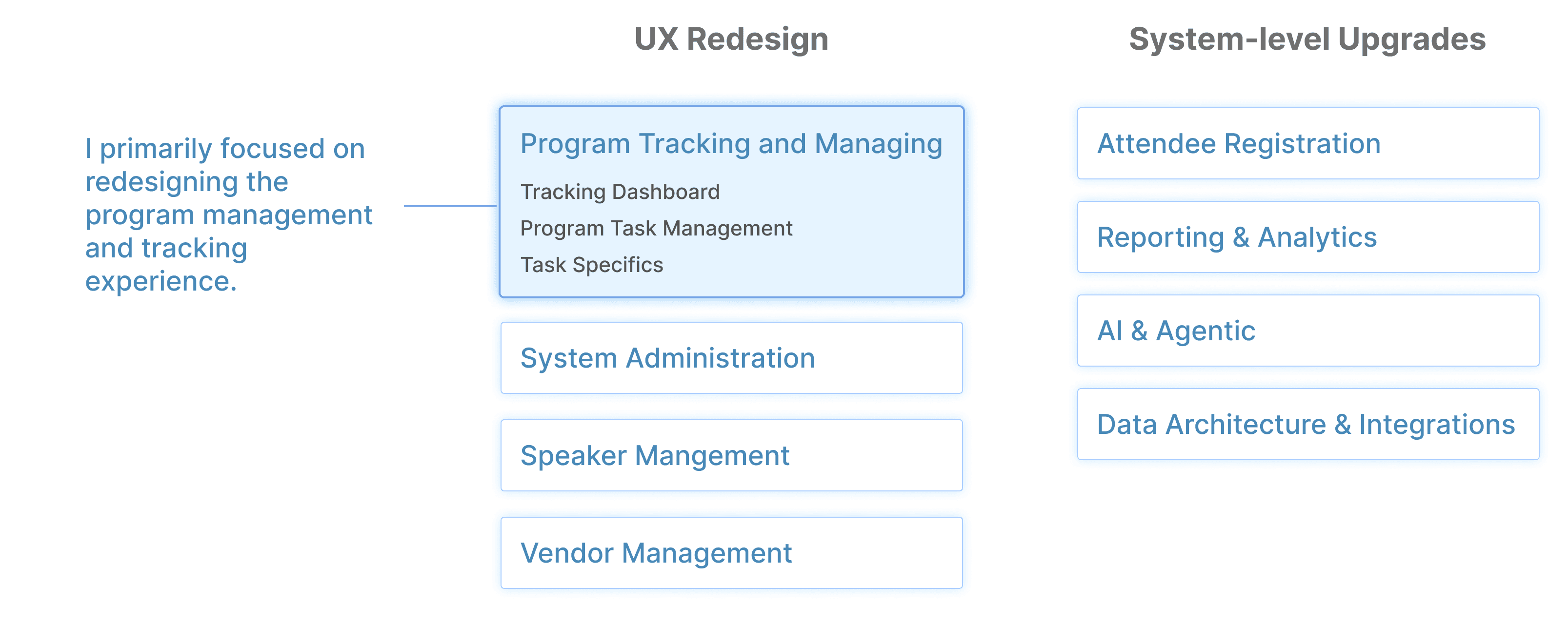
Project Scope and My Focus
Redesign Goals

Attract global partners

Reduce training time and learning curve

Improve cross-team collaboration efficiency
Solution Impact
Expand to support
3,500+ meetings
Able to serve
10,000+ users at launch
User testing suggests
95% positive feedback
Research and Discover
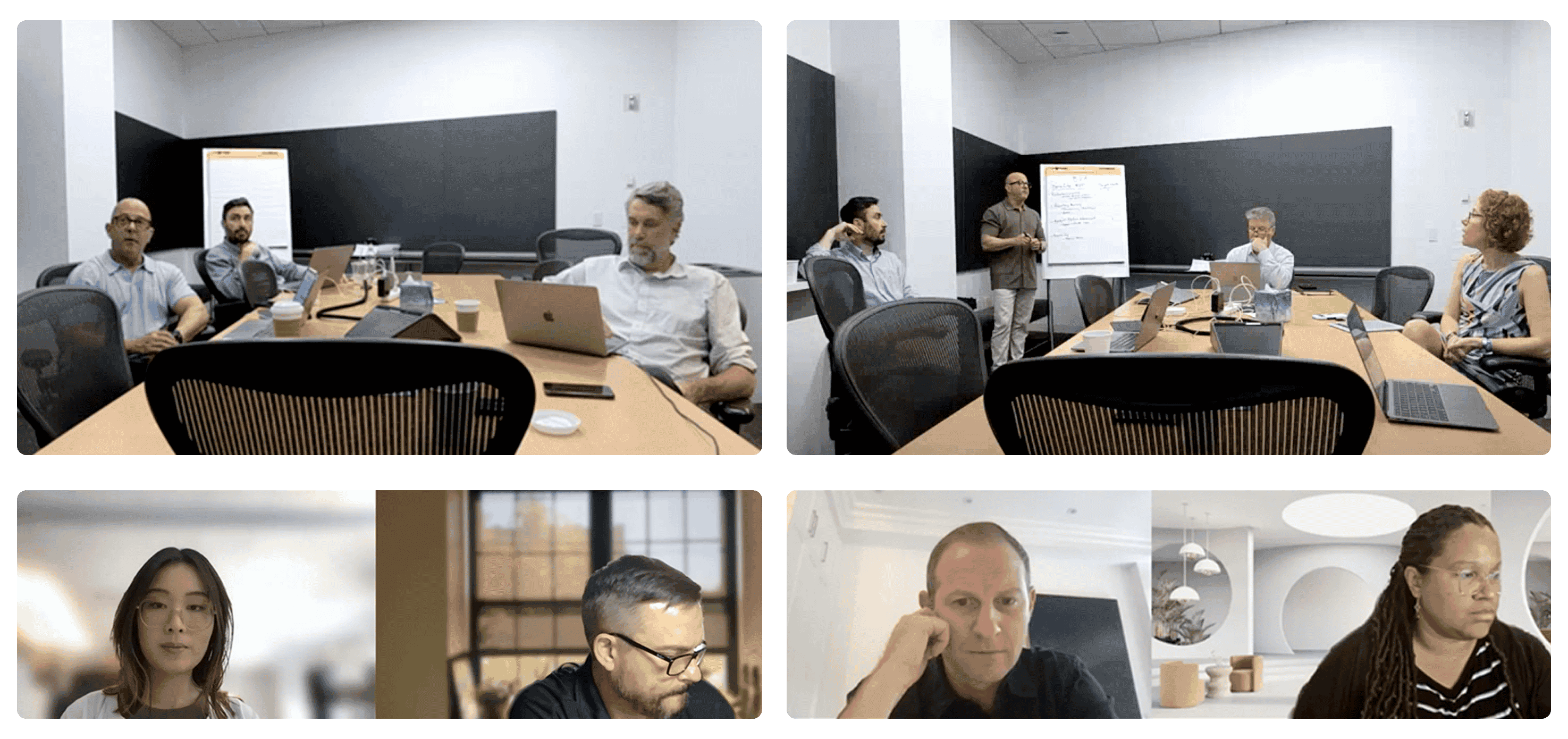
User Walk-though Sessions
We dedicated our 1st week to meeting with different users.
I observed and collected user interaction with the current product, their goals, focuses, user flows and pain points.
User’s “A Day In Life” Journey
Assisted in creating a detailed documentation of end to end user flows for each user.
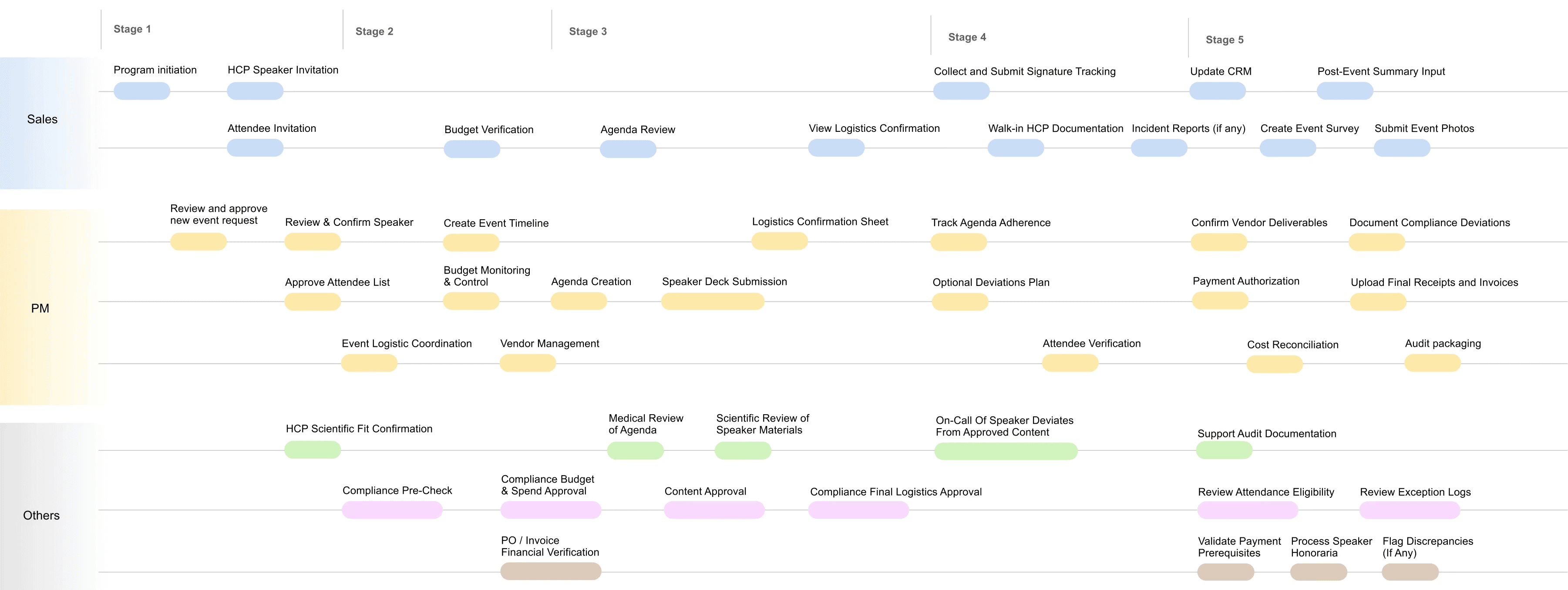
Created user journey map to visualize user’s cross-team handoffs, compliance timeline and scope.
Problem Definition
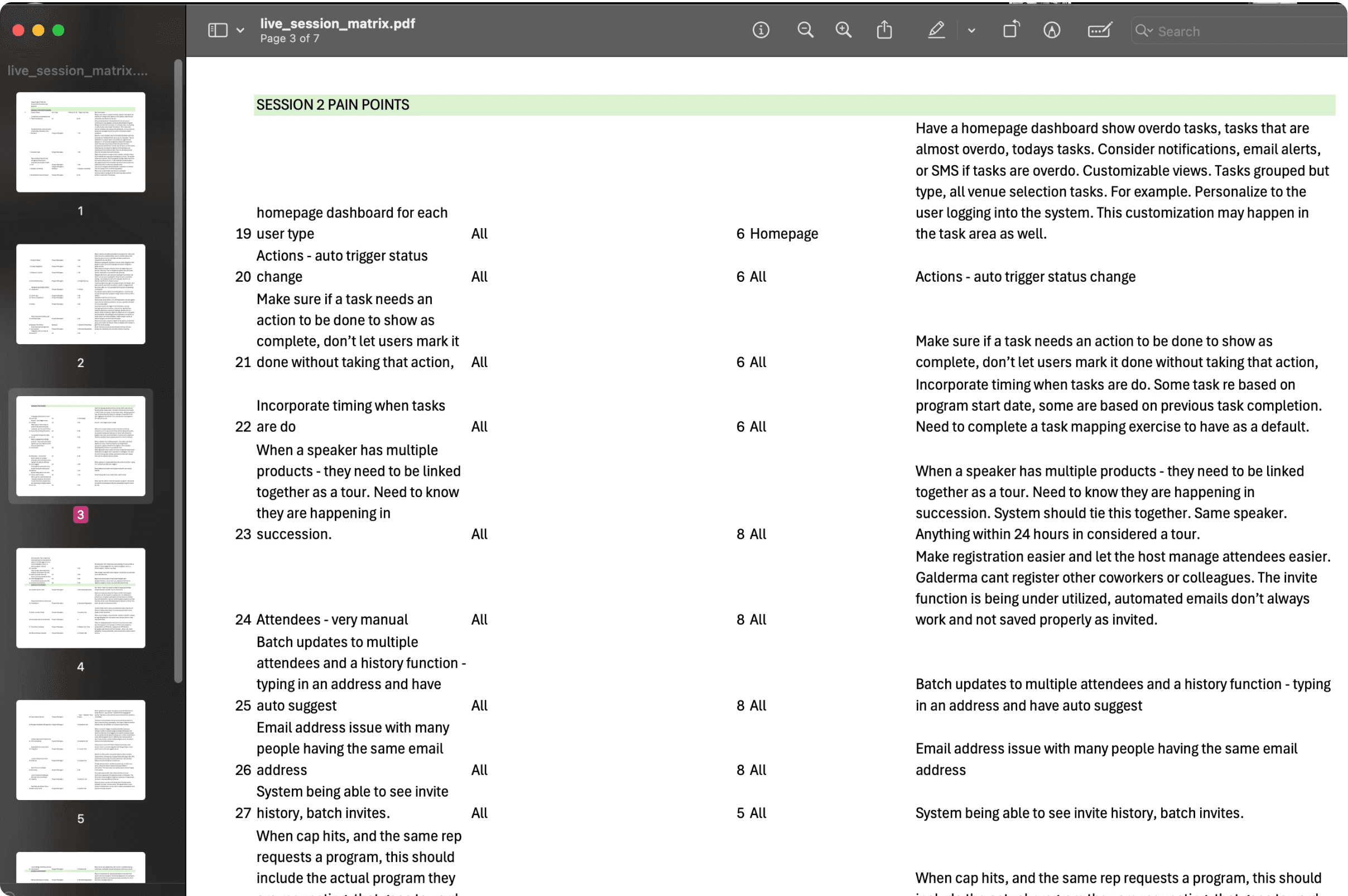
Documents fragmented information (user behaviors, quotes and pain points) into an organized document.
Narrow down user pain points by doing an affinity map
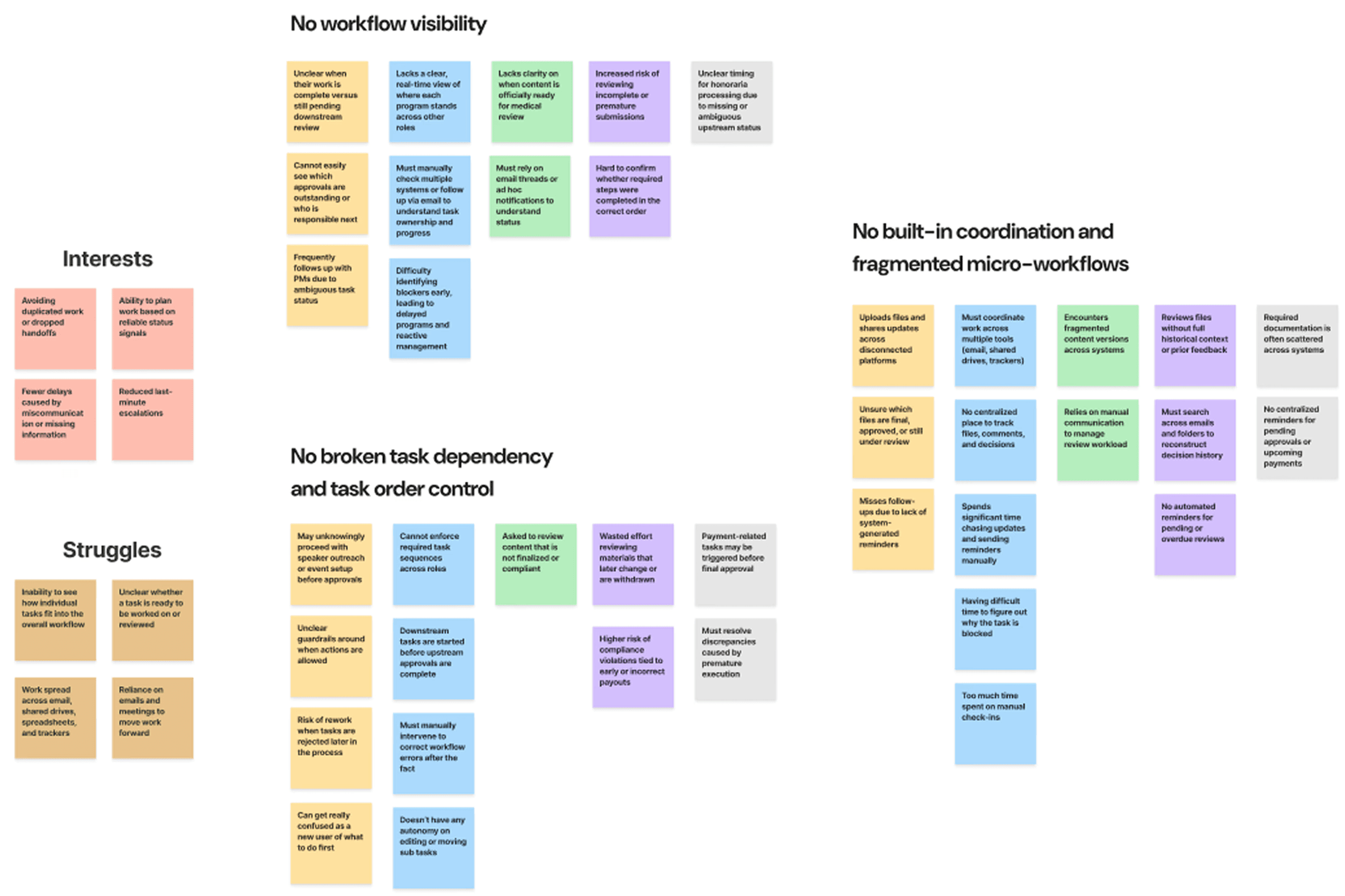
We found those shared pain points from users
No workflow visibility
Unclear cross-road handoff
Ambiguous task status
No broken task dependency and task order control
Premature execution
No built-in coordination and fragmented micro-workflow
File context and file fragmentation
No built in coordination and reminder system
Design Process
Challenge 1:
How do we improve workflow visibility?
Well, we can start with introducing a more structured tagging system.
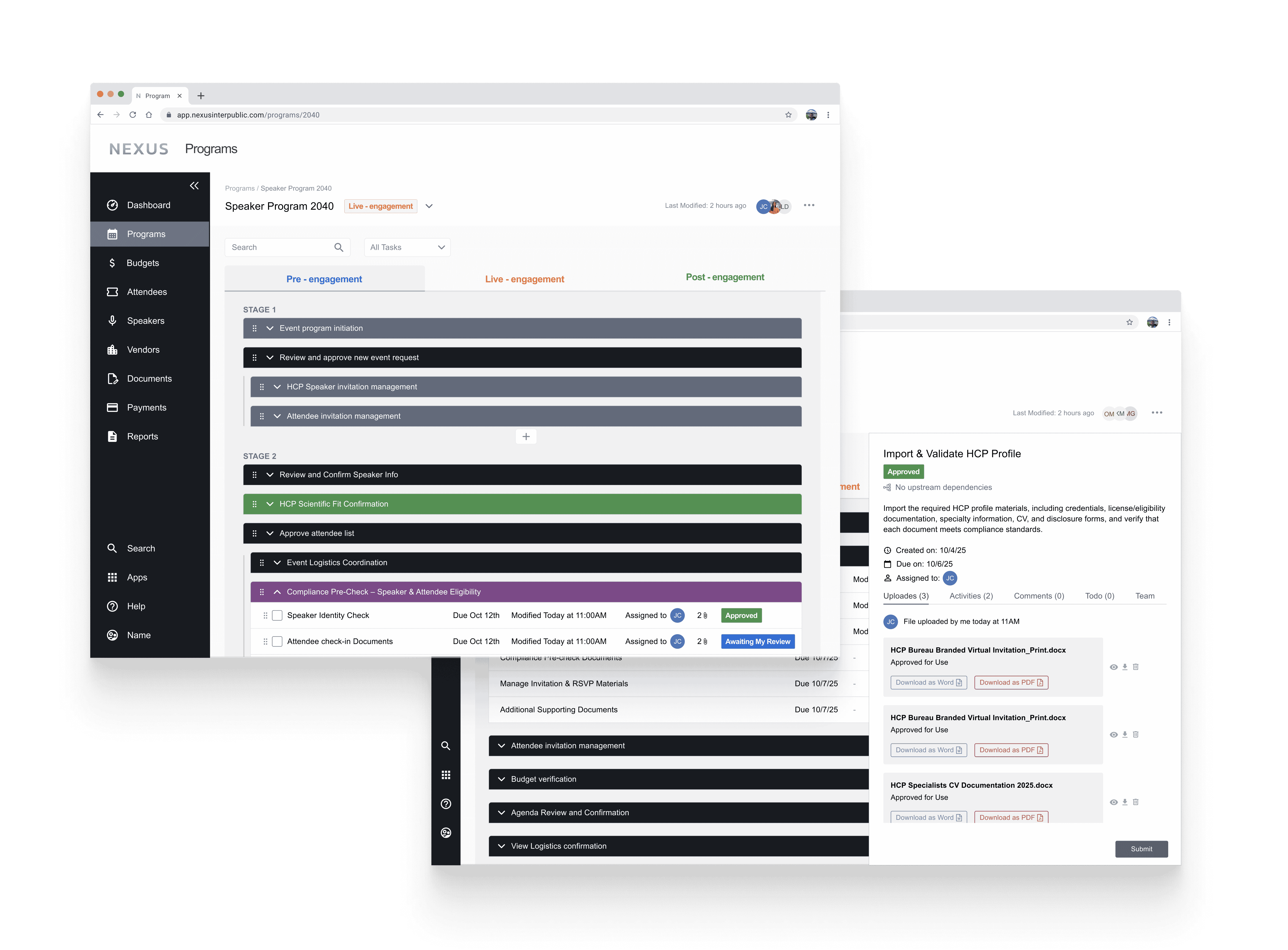
Old Designs
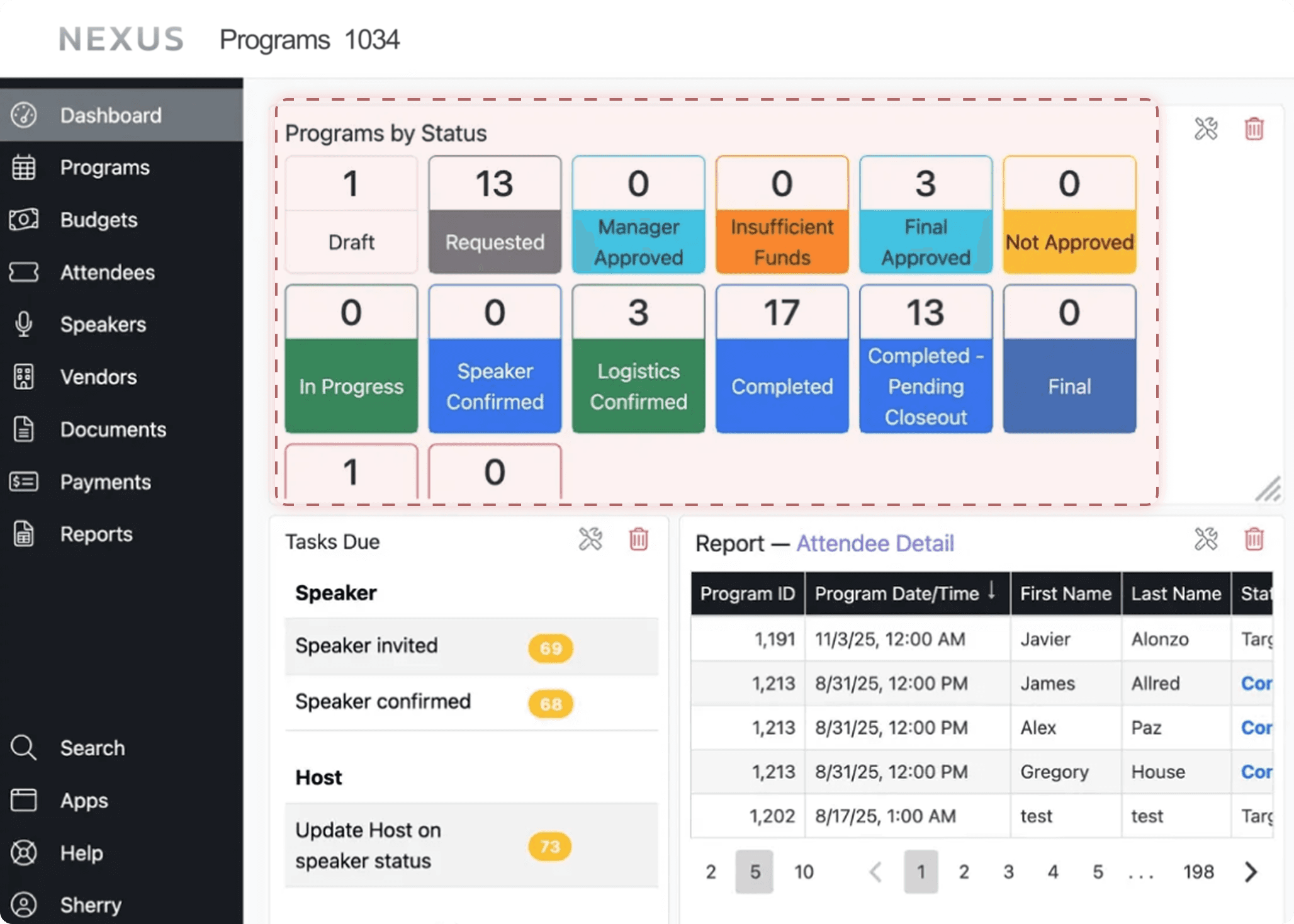
When observing the old dashboard, we noticed a mixed use of the same tagging system for events and tasks, with an unclear use of colors and semantic meaning.
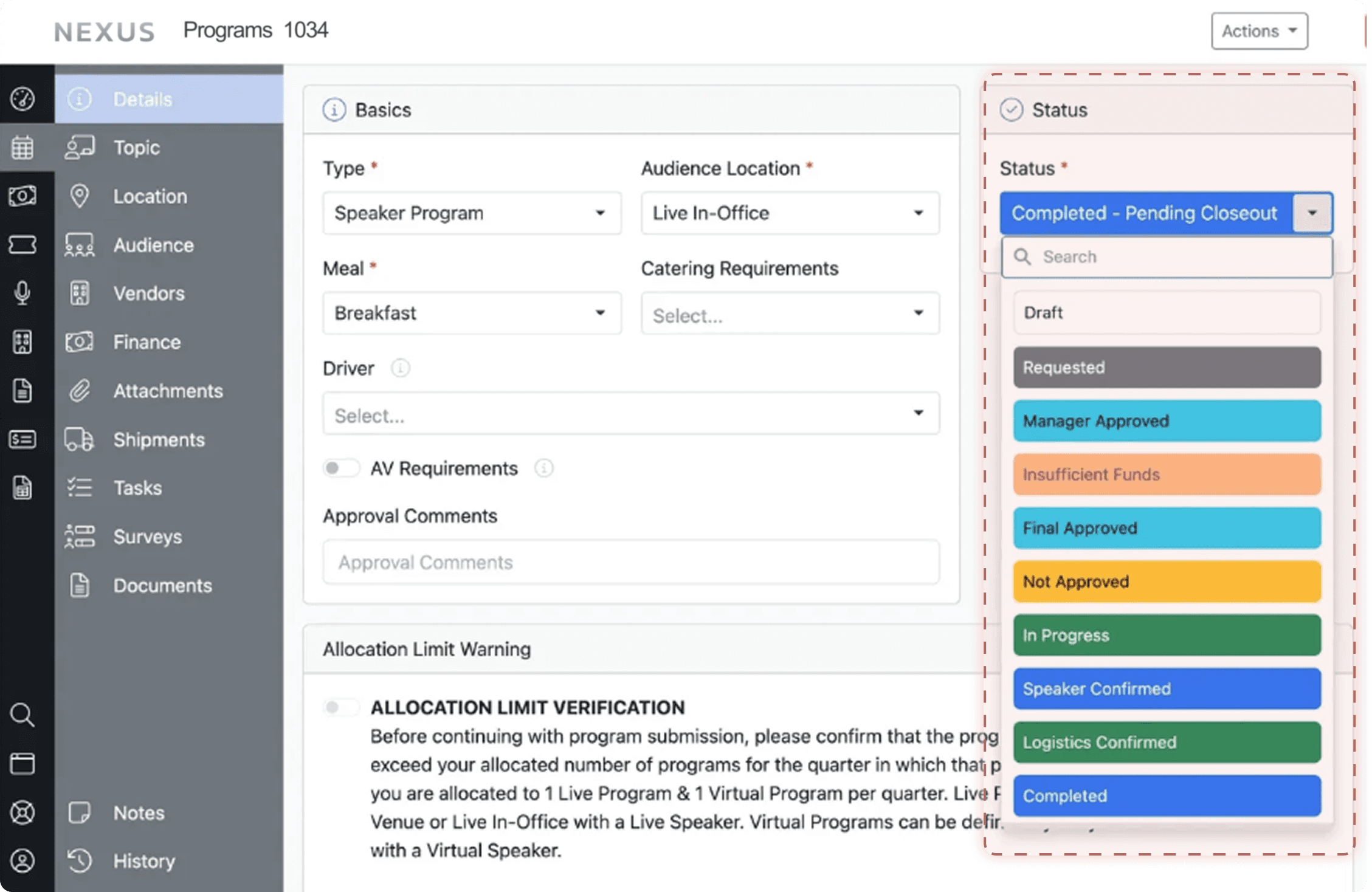
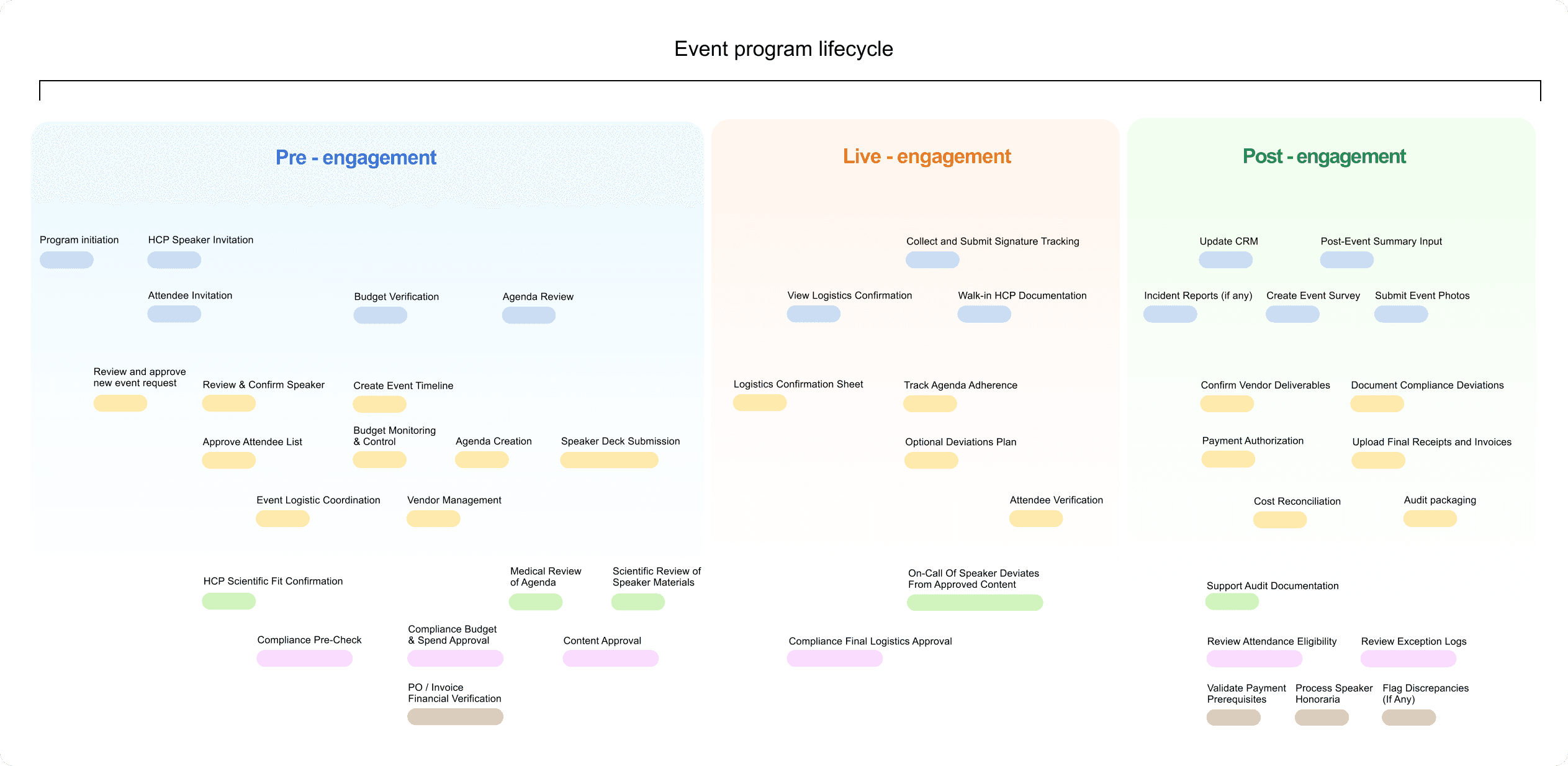
Design Opportunity: Differentiate event and task level status
Each program follows a phased, sequential workflow. Organizing program-level tags by timeline aligns naturally with users’ mental models.
And for each task, we simplified and reorganized the status tags.
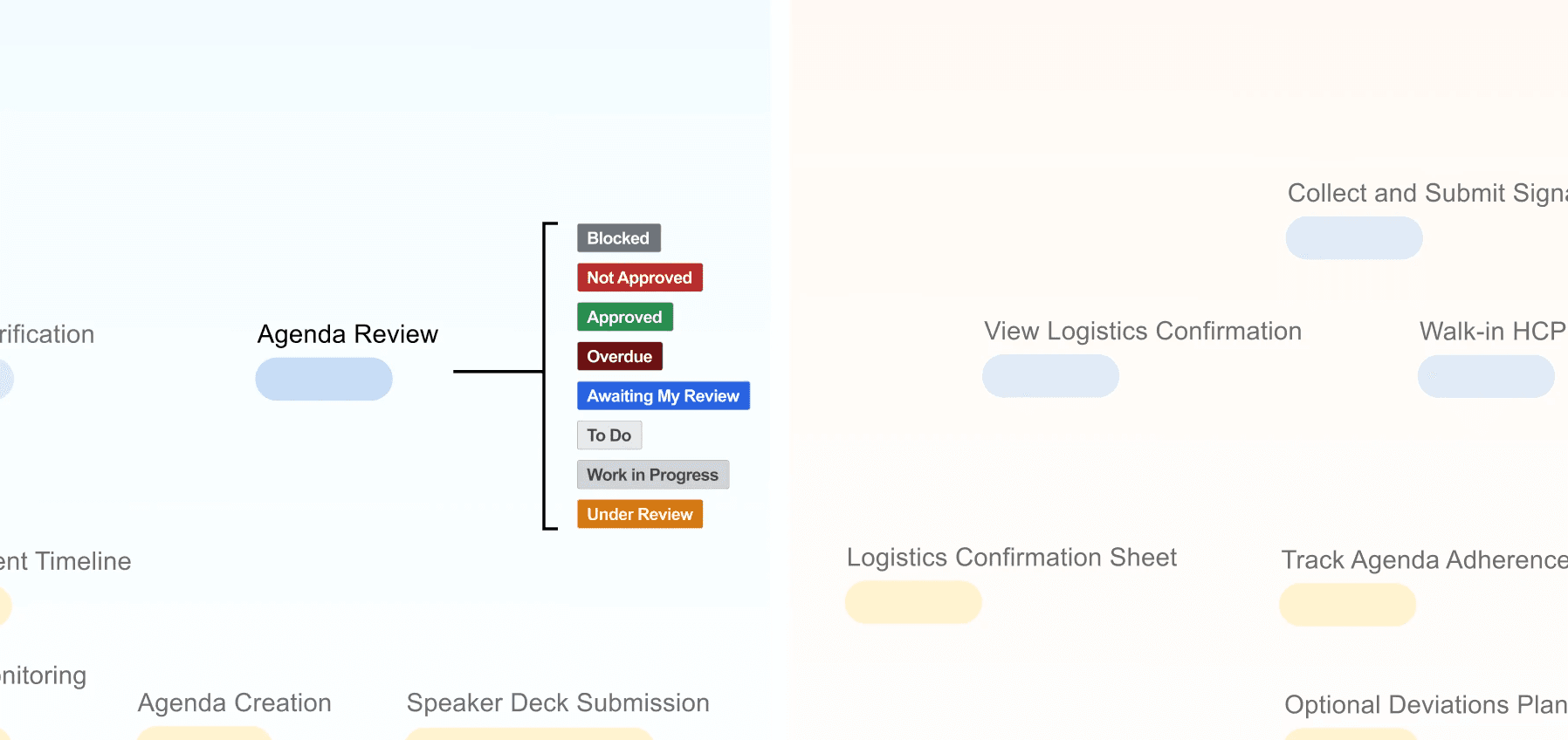
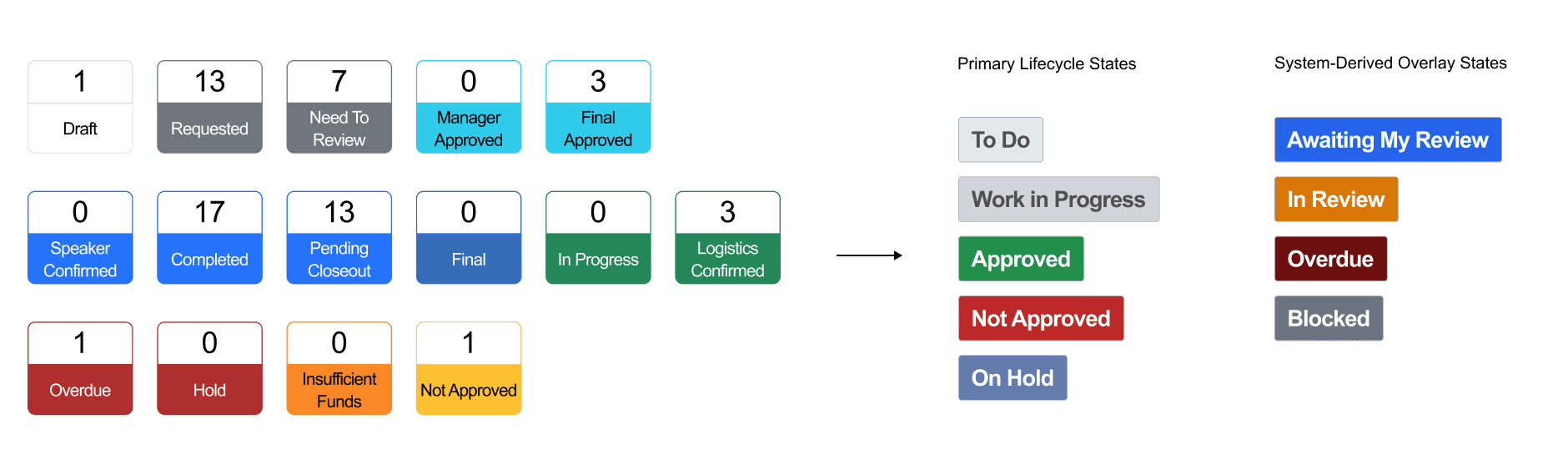
Solution: Time-based event status tag + Simplified task status tag
We refactored task status taxonomy to separate lifecycle states from computed conditions, reducing redundancy and improving reporting clarity across PM and compliance workflows.
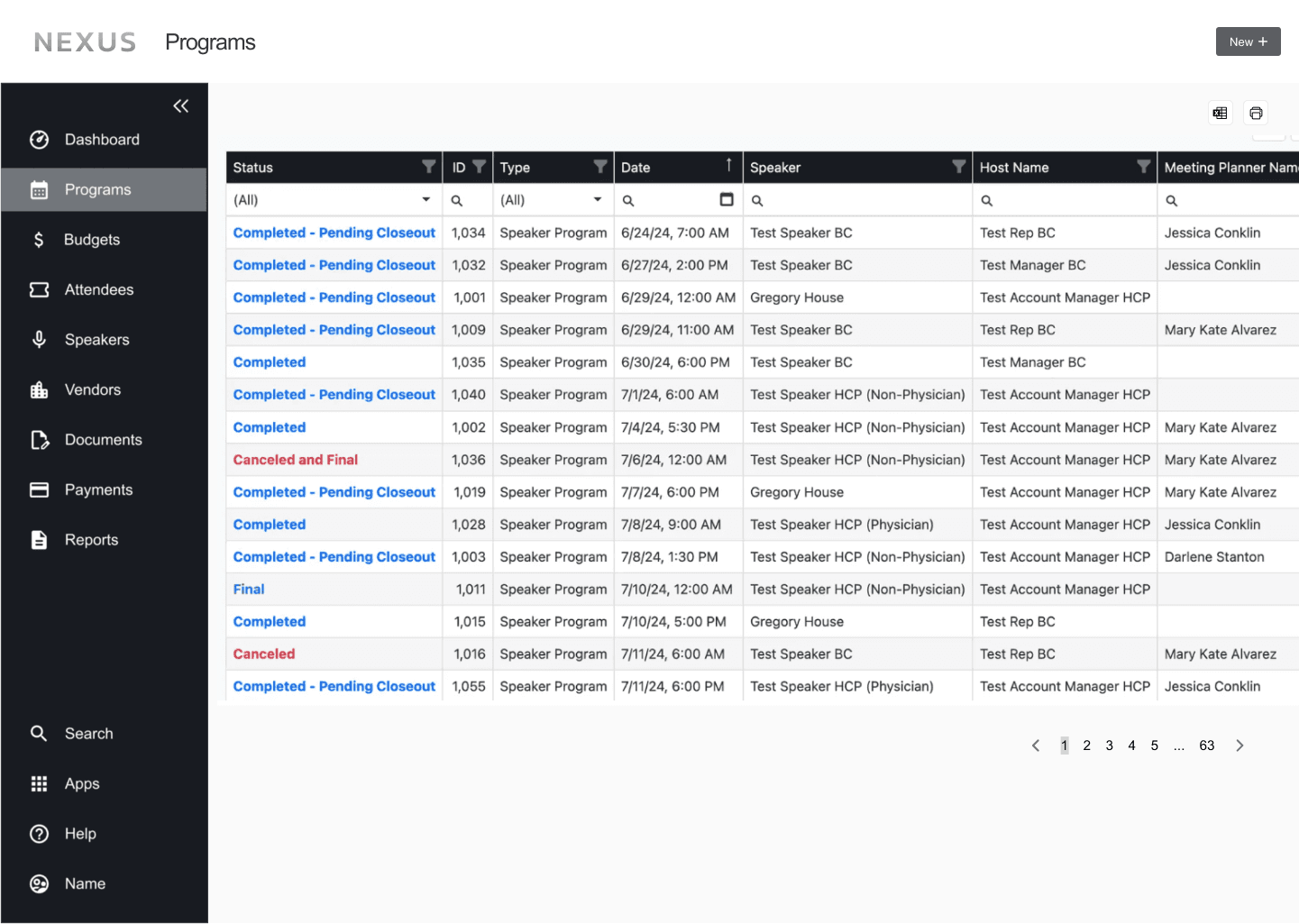
Old Design
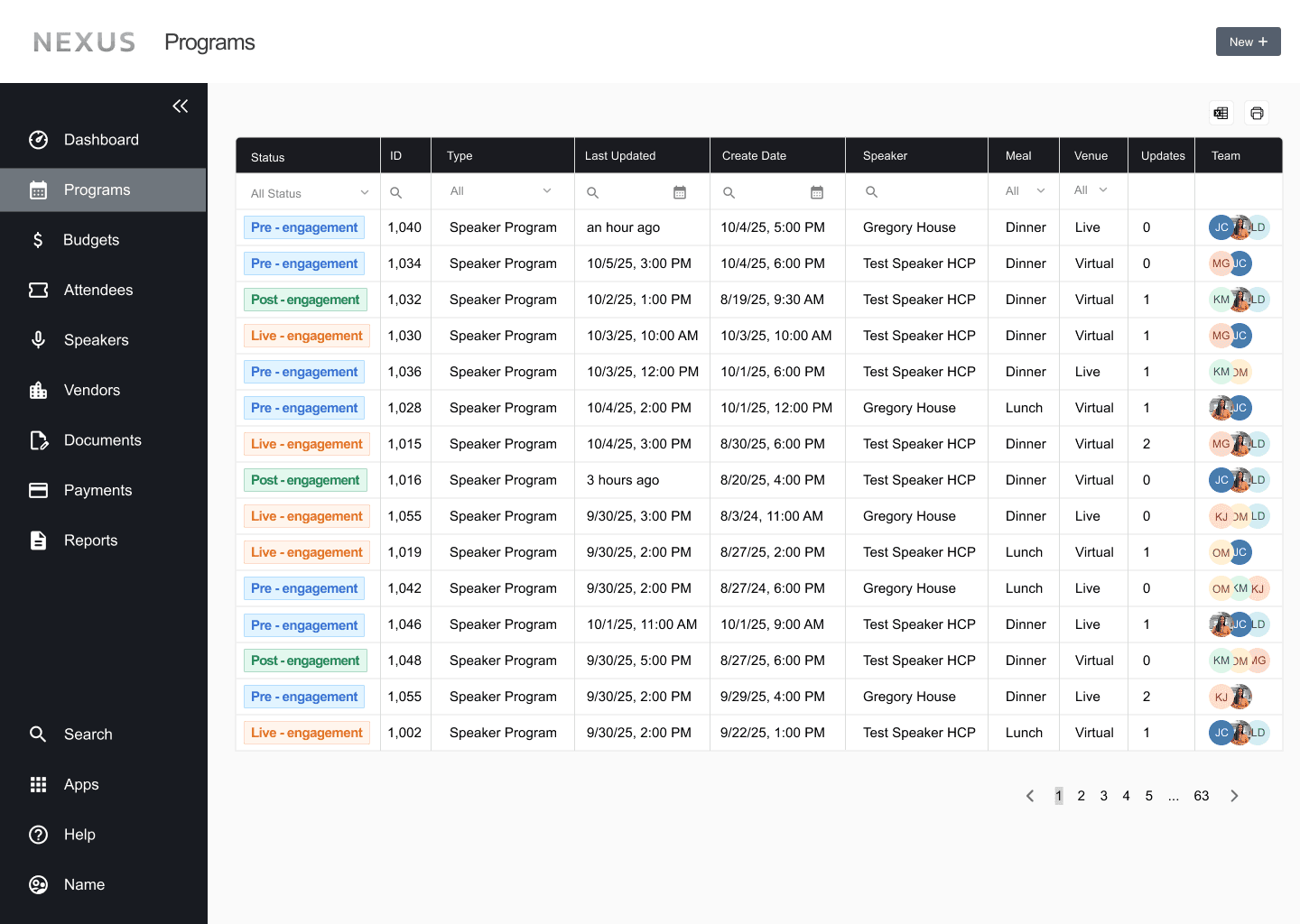
Redesign
Challenge 2:
How can task dependencies be visualized and implemented while respecting
role-based permissions?
Old Designs
The lack of structured work order guidance can lead to premature task execution and skipped steps, increasing compliance risk.
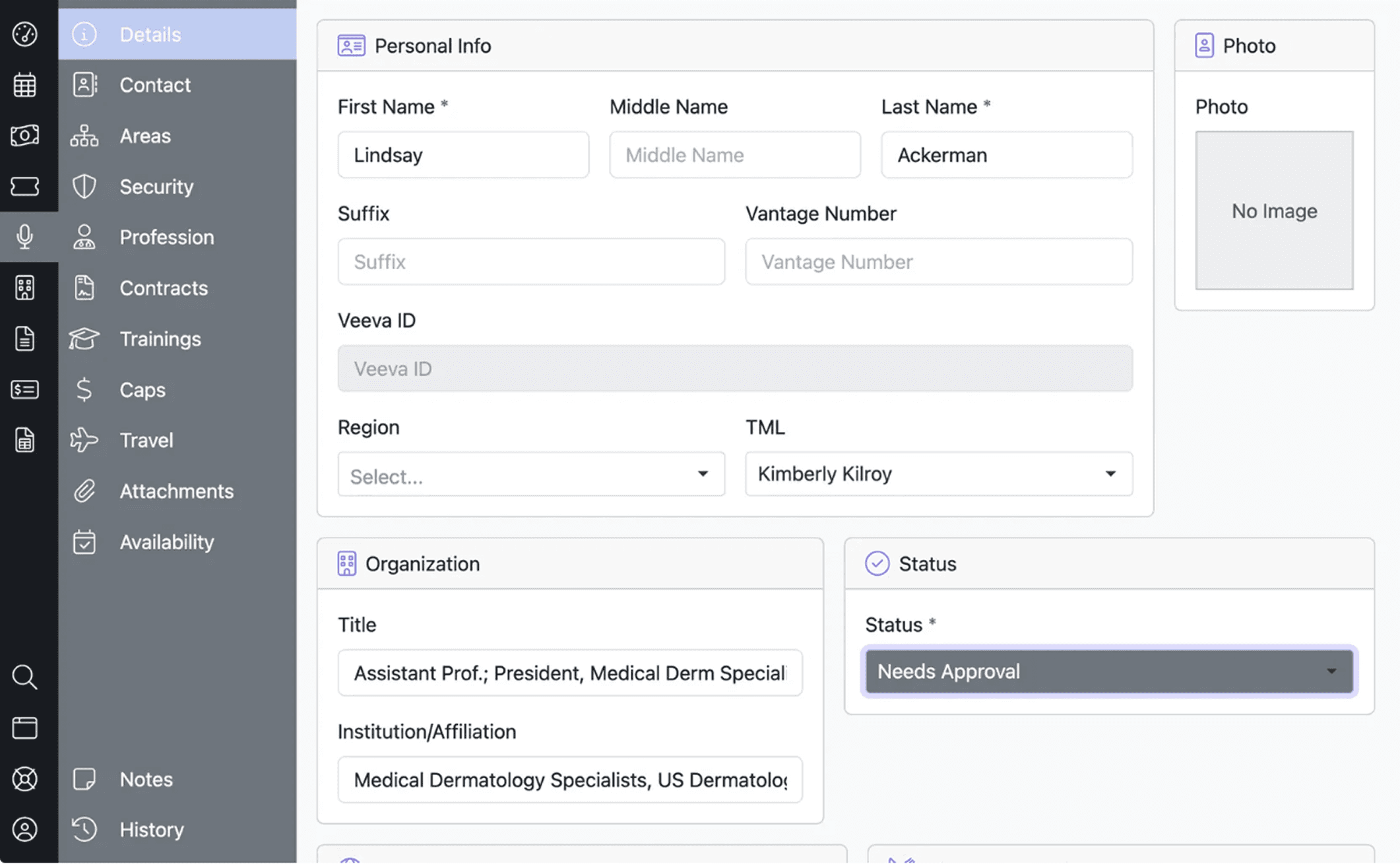
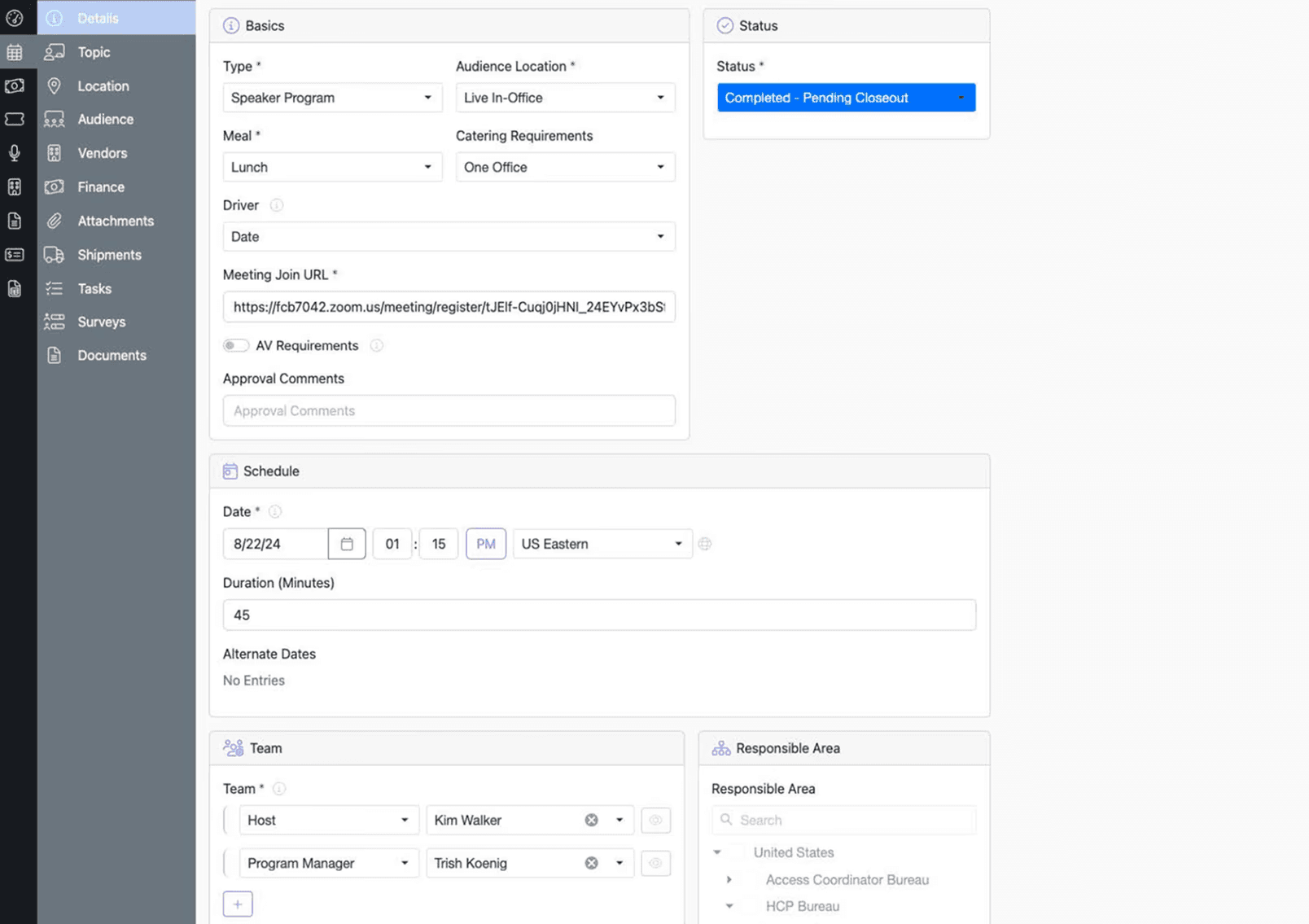
Ideation: Differentiate event and task level status
To ensure compliance-ready task sequencing, we tested multiple subtask layouts for visual scalability.
Option B provided the most accessible, timeline-oriented view across tasks, while Option C was reserved as a secondary upgrade due to mobile usability constraints.
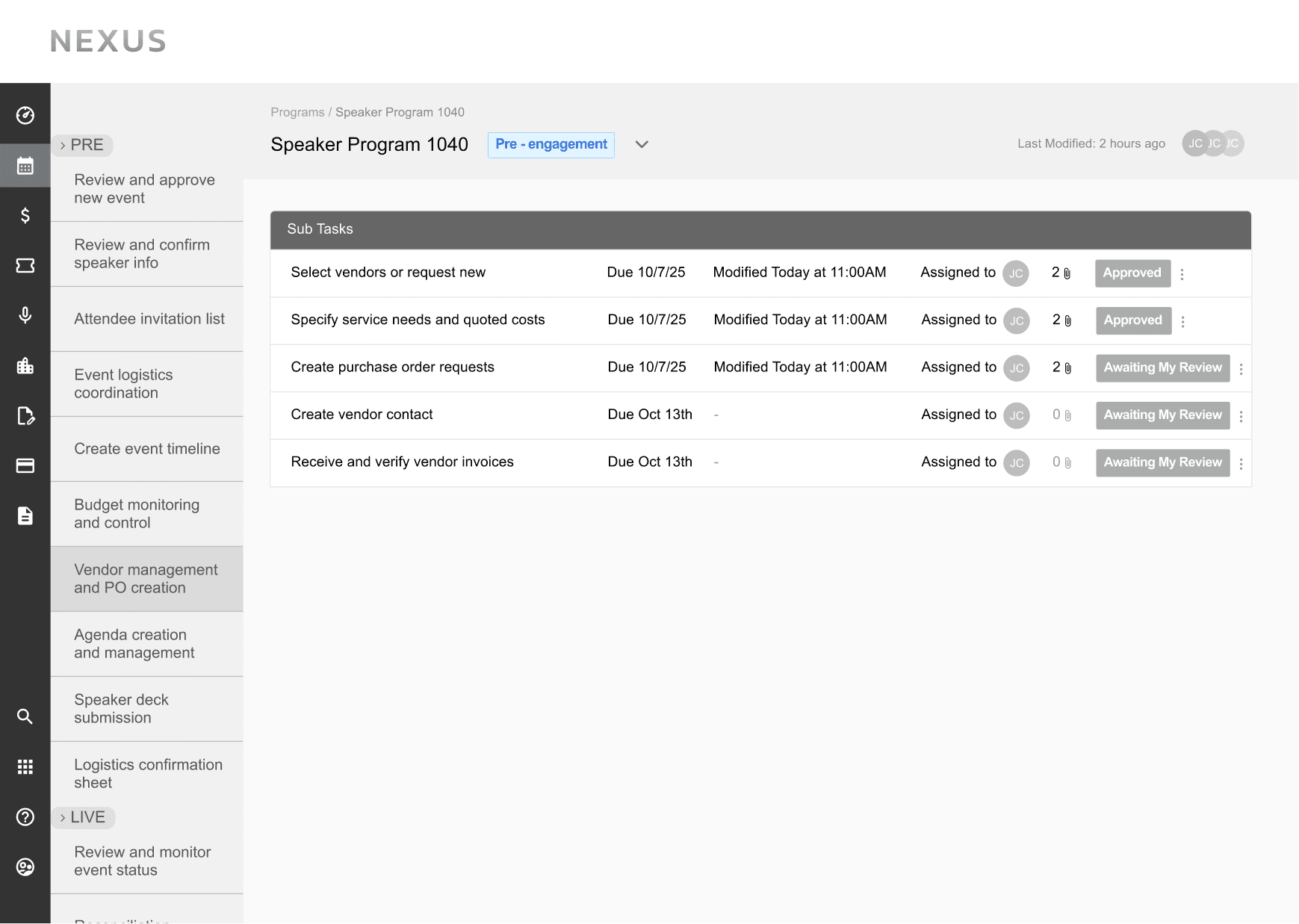
Option A
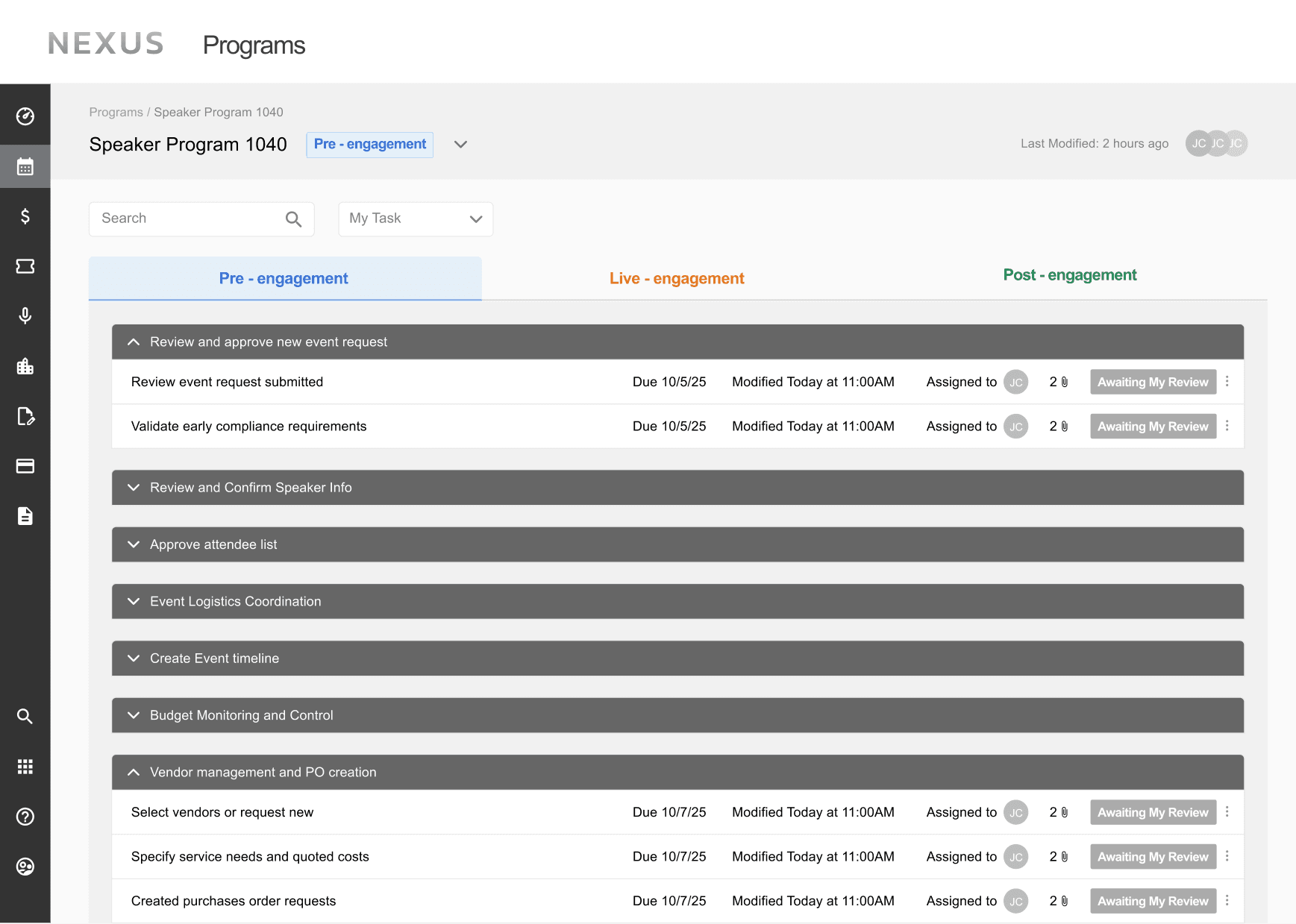
Option B
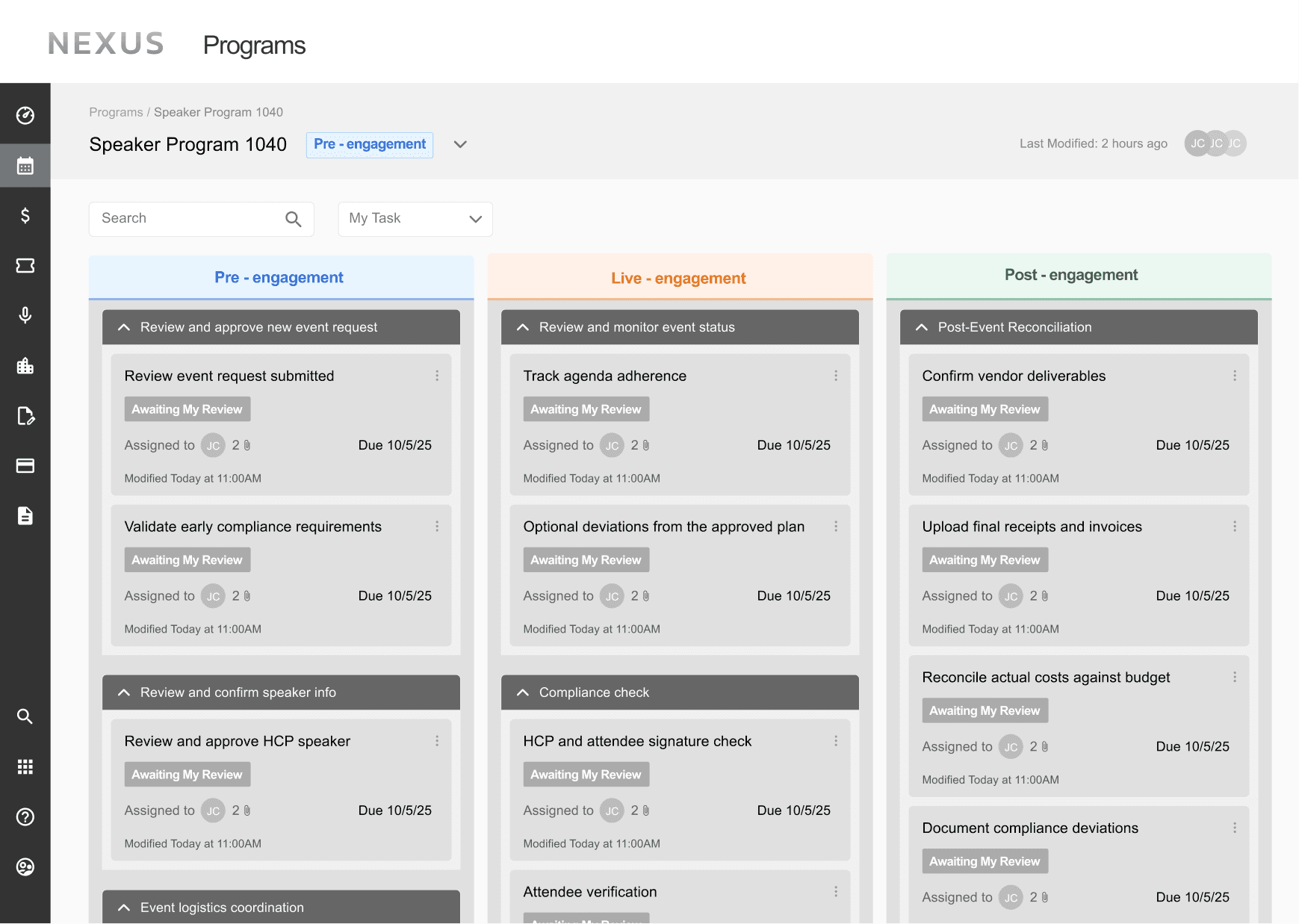
Option C
Solution: Visual Grouping of Tasks
Subtasks are nested within each task accordion to visually group related actions while maintaining a clean interface.
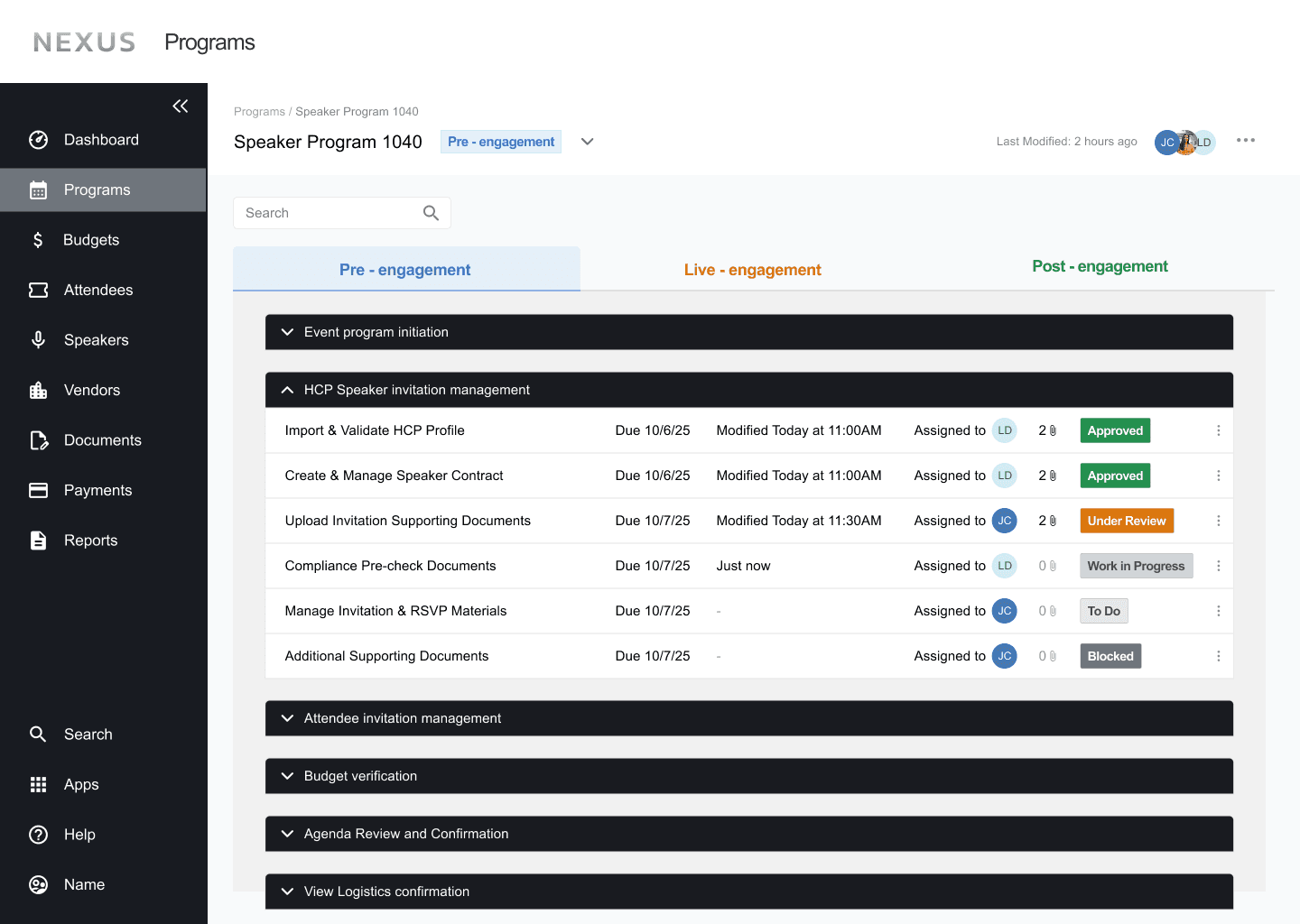
Now subtasks are grouped within their parent task with accordions.
The nested task view enables program managers to edit task dependencies and details within only a few clicks
Unlike other healthcare management platforms, Nexus gives program managers more flexibility to audit and adapt task workflows across different event programs.
However in certain cases, program managers are restricted from modifying task workflows; the system provides toast warnings and confirmations to indicate whether changes are permitted or successfully applied.

If move tasks out of dependency area, there will be an error toast warning that indicates not move.
Edit Failed

If move tasks within the dependency area, there will be an toast warning saying moving was successful.
Edit Made Successfully
Challenge 3:
How can we support micro-workflows to streamline navigation across tasks, audit trails, and assets?
Old Designs
Instead of having a clear visual hierarchy, assets and key information within each task were fragmented and out of order. One program manager described spending over 30 minutes scrolling and digging to locate a single file.
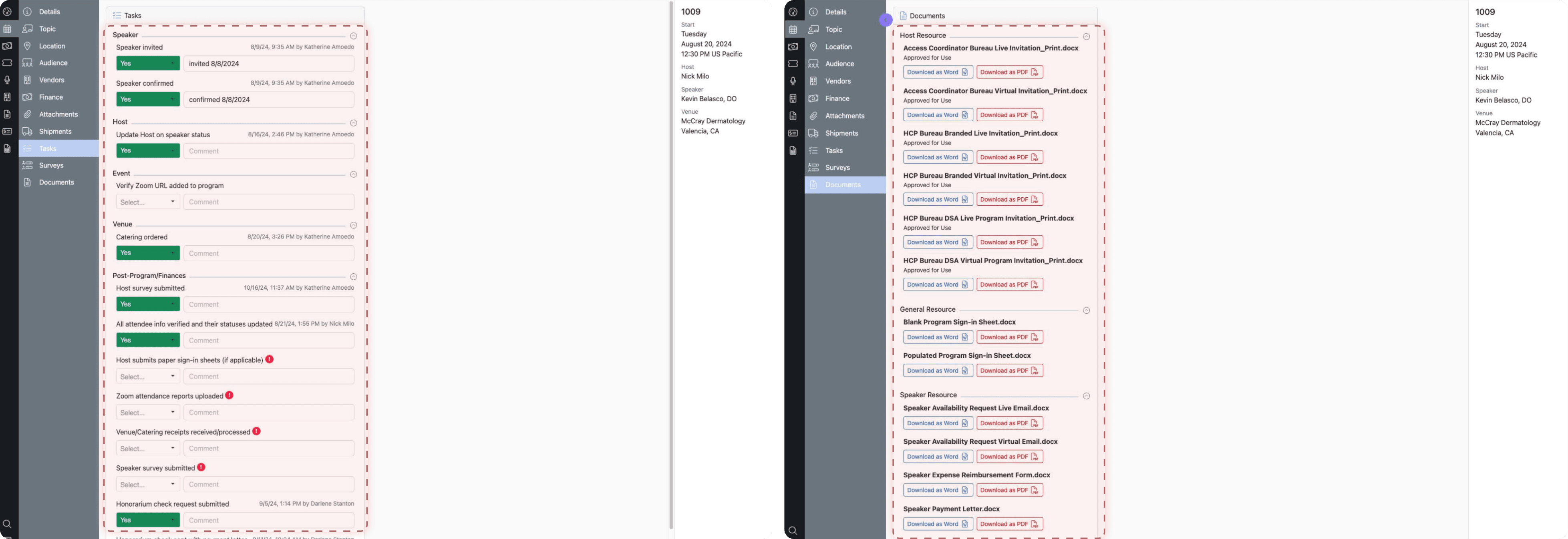
Ideation: Task Panel
We decided to collectively show all task information in a panel. Initially, we decided we have everything in a larger panel, but this would block the view of other tasks, making it difficult to see how the current task is related to the others. We ended up choosing a side panel that can auto slide in when clicks on a task.
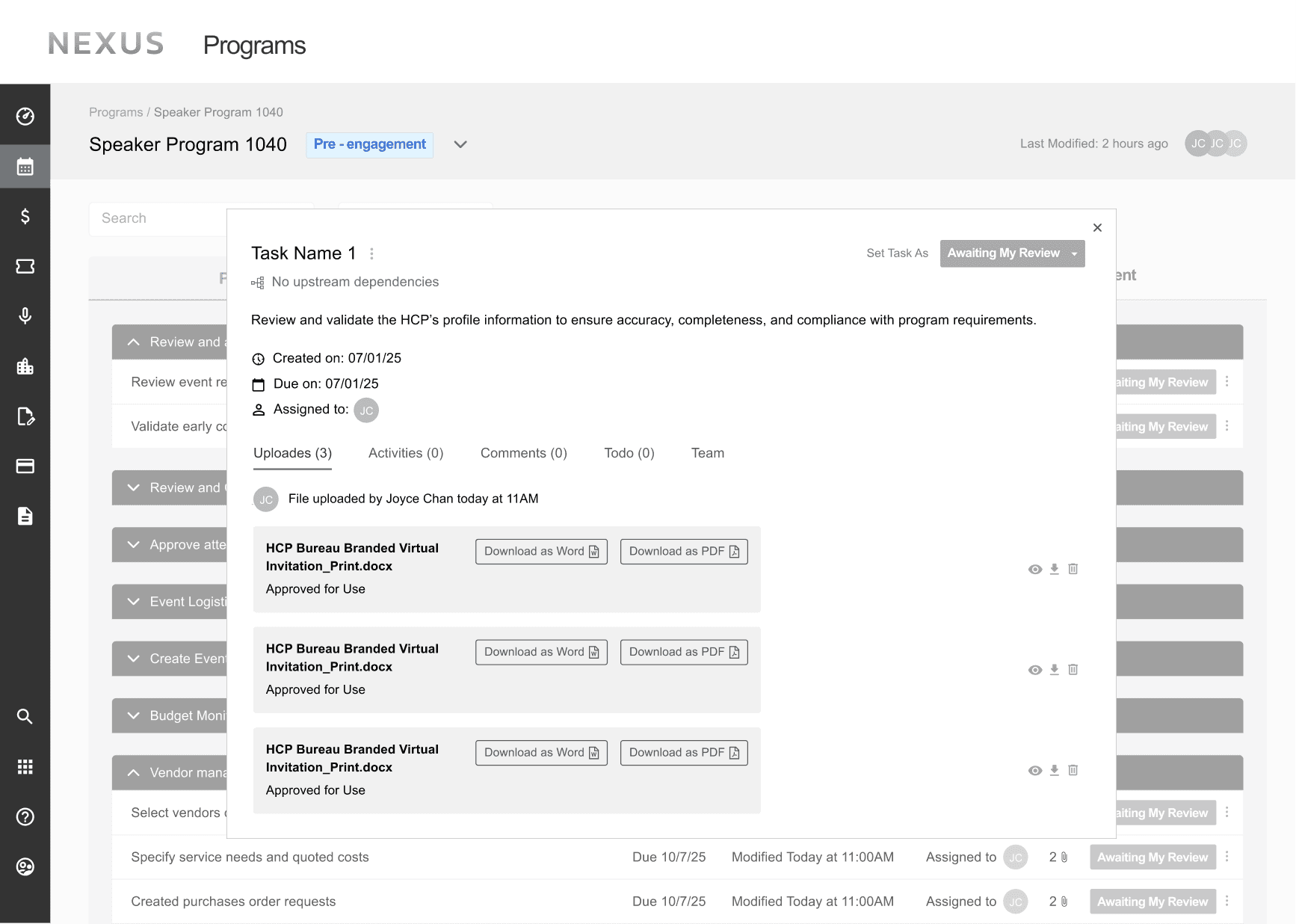
Option A
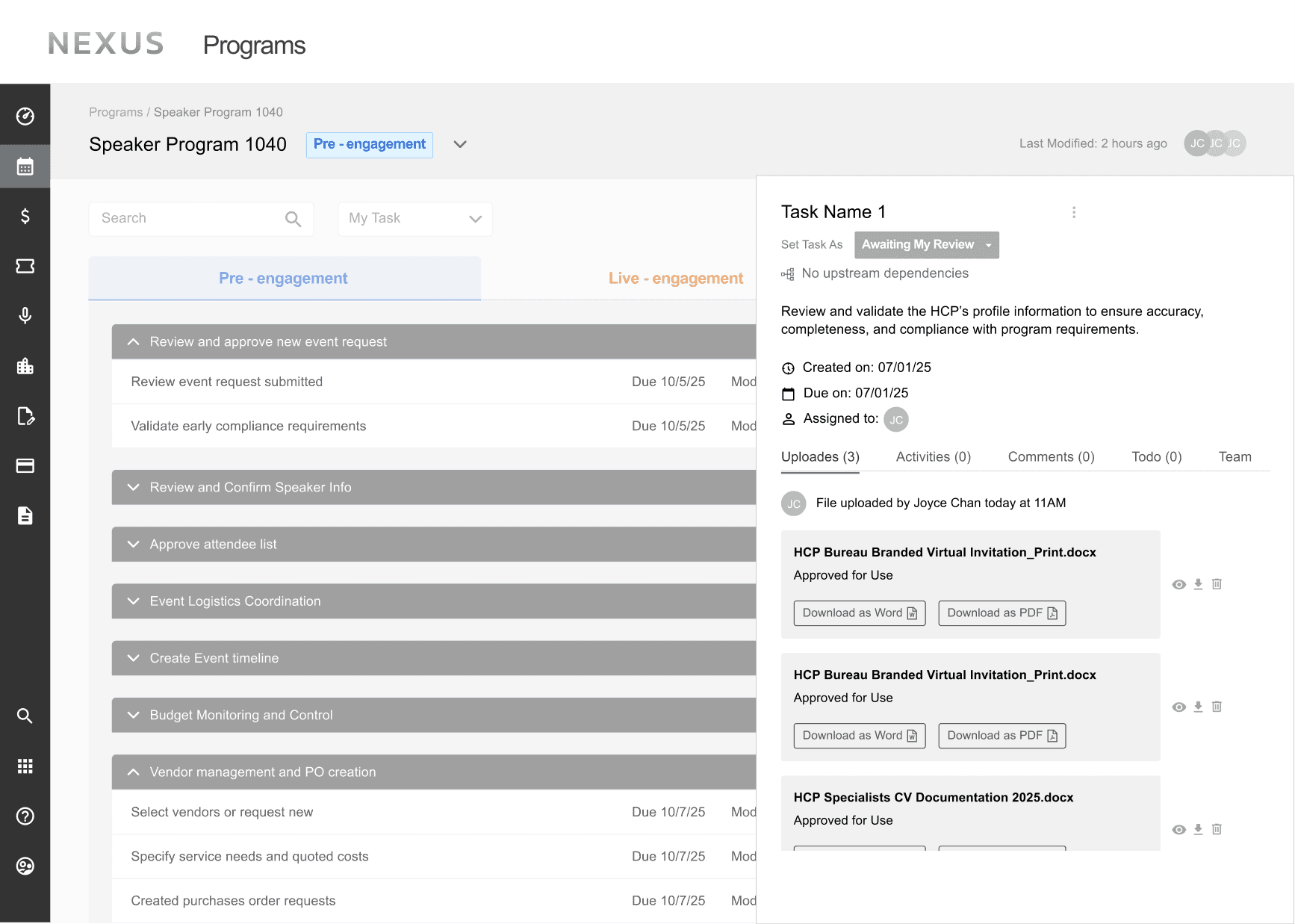
Option B
Solution: Key information is organized into tabs within the panel
A single, centralized space now surfaces updates, audit history, comments, to-dos, and team members, eliminating excessive scrolling and manual searching.
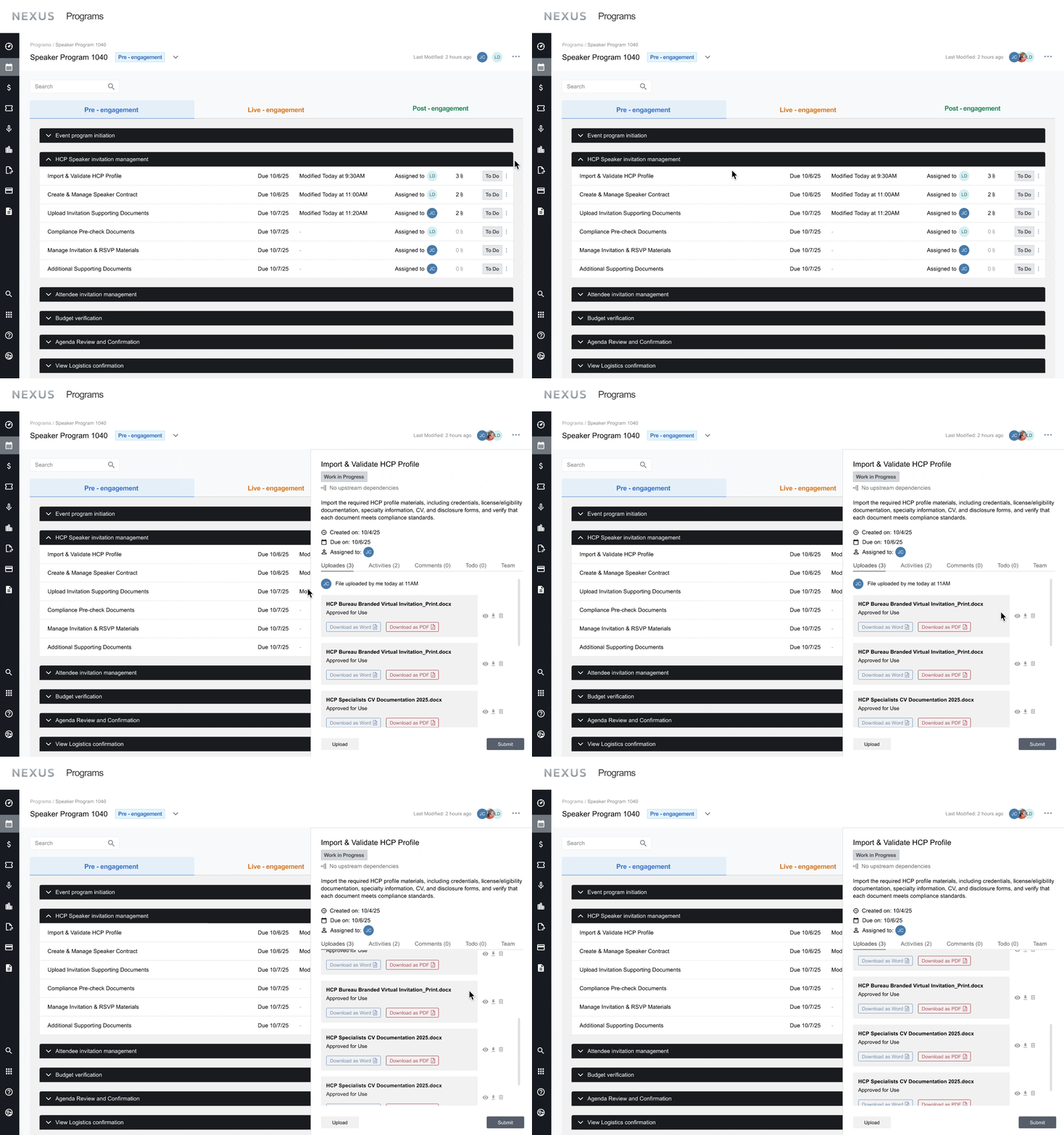
Task panel auto slide in from the right
On a micro-flow level, this is an example of how two different users interact when when are handing off deliverables.

Sales Representative Perspective
Program Manager Perspective
Challenge 4:
How can we enable more efficient execution and collaboration?
Old Designs
The previous design required users to manually send reminders to prompt check-ins, task reviews, or attention.
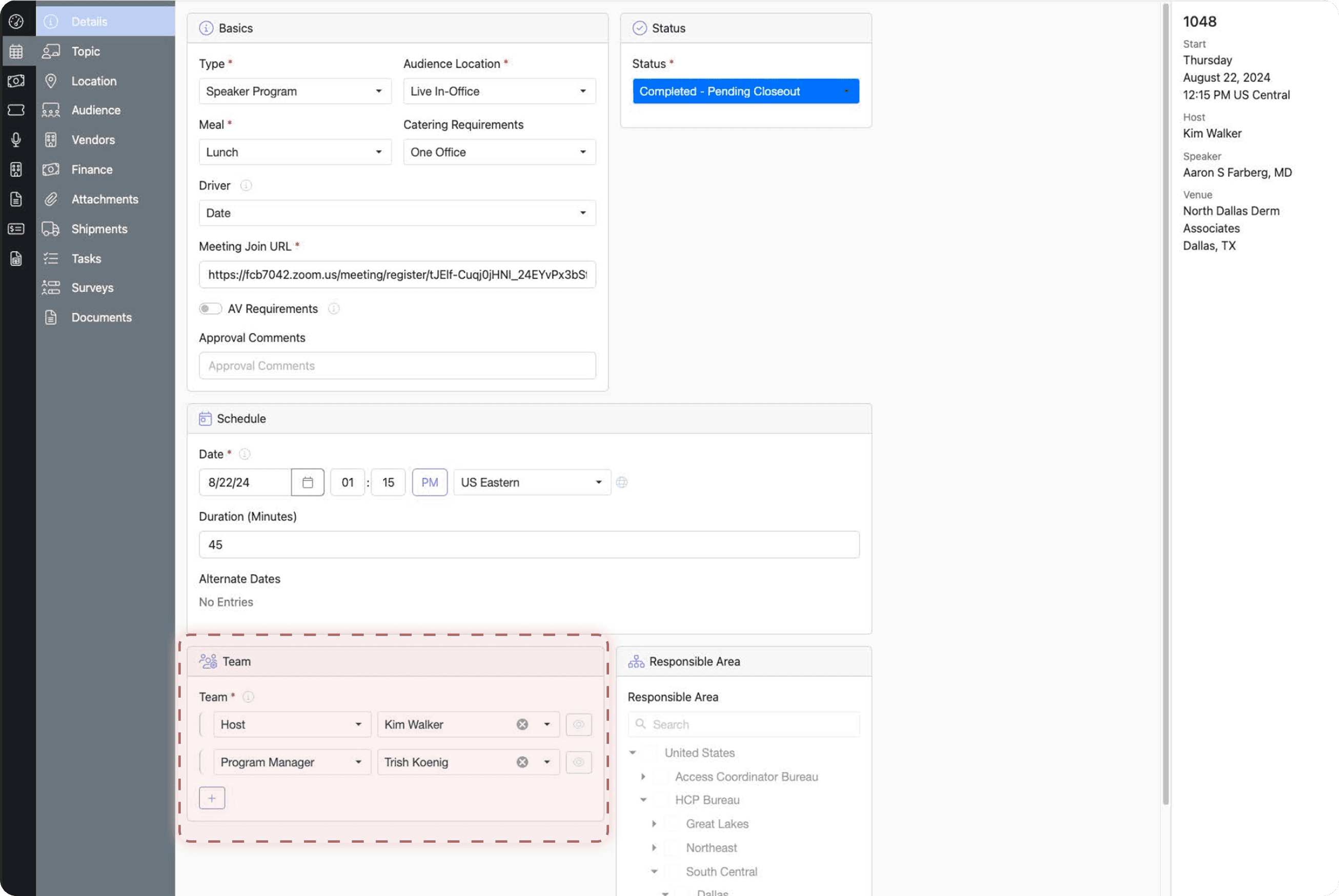
Ideation: Reminder System
Option A introduced an automatic bottom bar for overdue tasks, while Option B offered greater control over recipients to support multi-stakeholder programs. We ultimately selected Option C, a lightweight hover interaction that enables quick notification sending while keeping detailed contact information accessible in the side panel, balancing speed, flexibility, and minimal disruption to the workflow.
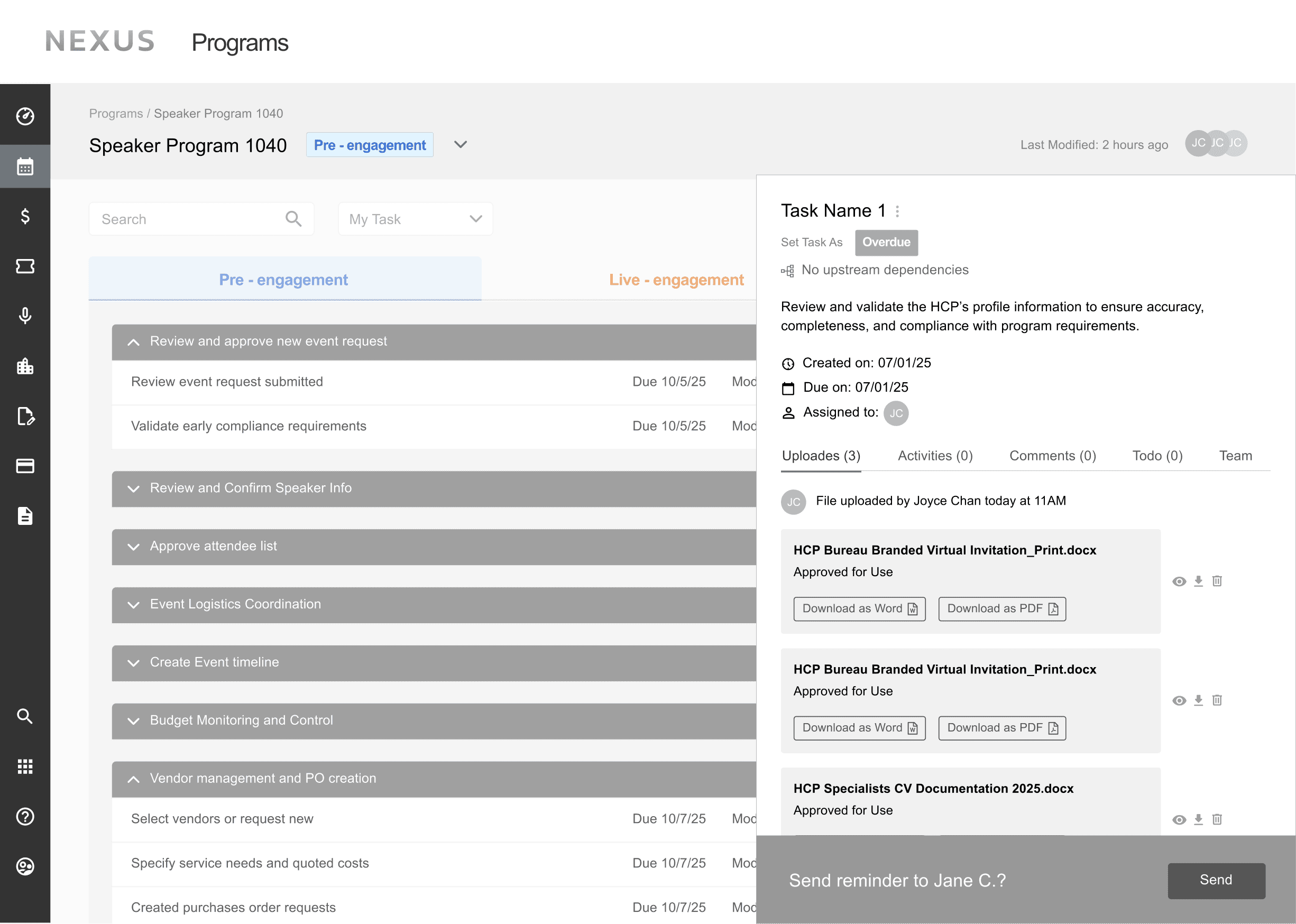
Option A
Option A
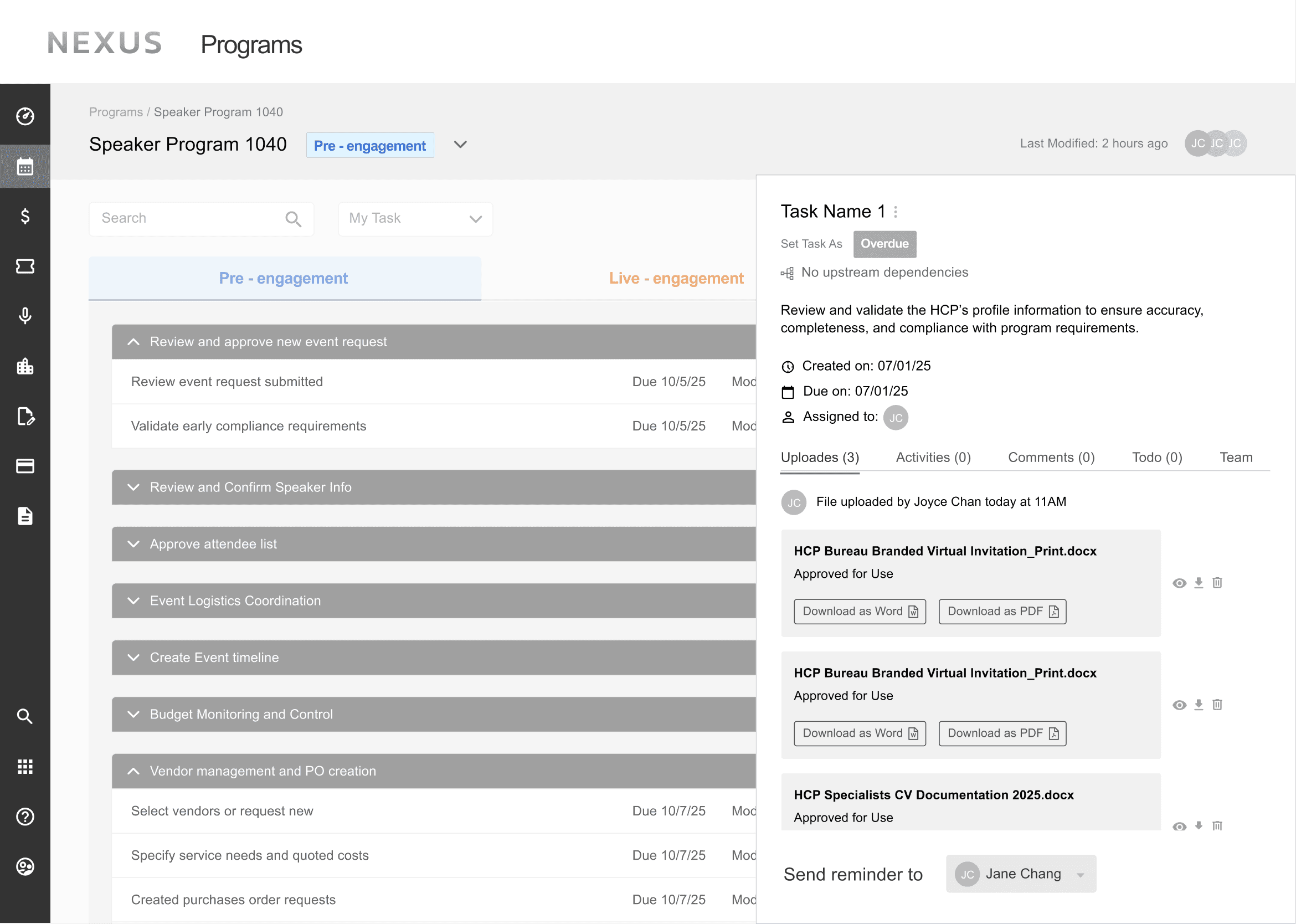
Option B
Option B
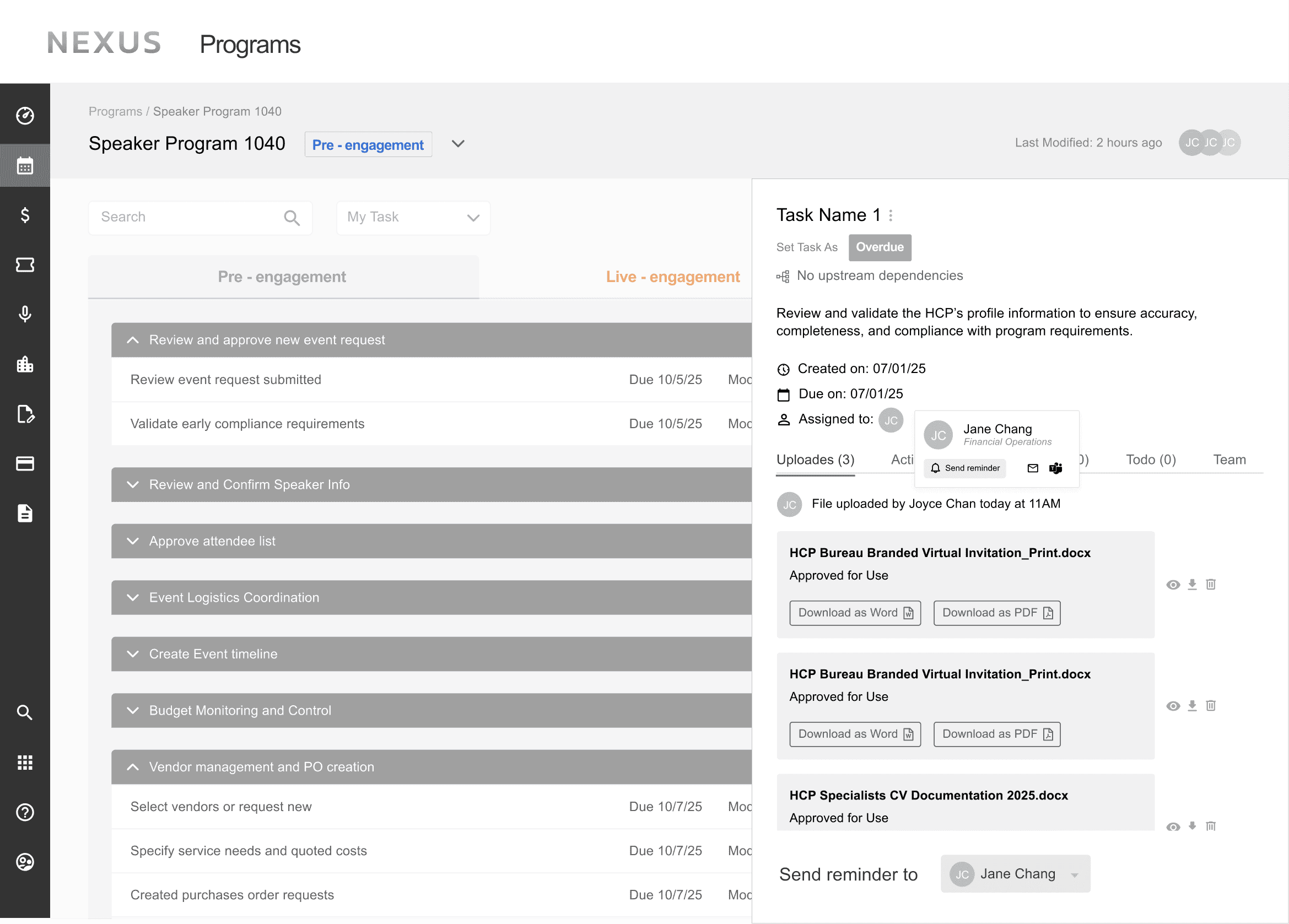
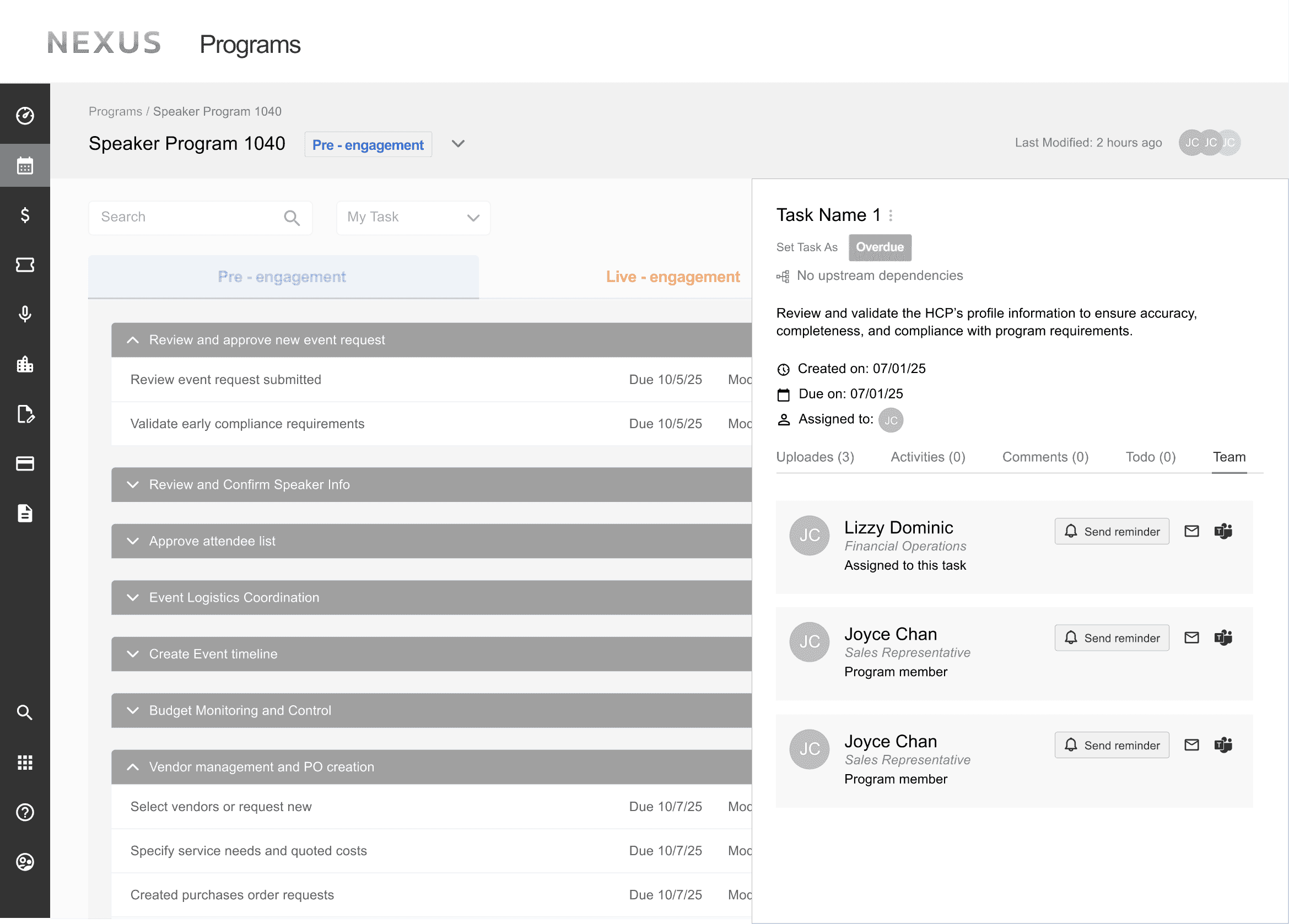
Option C
Solution: Two built-in communication methods
Developed two built-in communication methods that enable fast, contextual communication within the workflow, minimizing reliance on external tools

xxxxxxxxxxx
Sales Representative Perspective
Design Impact & Next Steps
The redesigned Nexus platform offers a scalable and compliant solution that delivers significant improvements, reducing manual work, and increasing adoption.
Reduced administrative
overhead by
30%
Reduced compliance
violations by
95%
Targeted user satisfaction
< 6 months with score of
9/10
In 3 years,
will expand to
7+ agencies
A few takeaways from my side:
User-Centered Design Drives Engagement – Focusing on real user needs led to higher adoption and satisfaction.
Automation Reduces Friction – Scheduled exports and detailed payout tracking eliminated unnecessary manual tasks.
Keeping Data accessible is Essential – Transparent details reduced confusion and improved reconciliation accuracy.
Iteration Ensures Success – Continuous feedback loops allowed us to refine the experience and maximize impact.
About Nexus
Nexus is an enterprise-grade, AI-enabled, cloud-hosted SaaS platform for end-to-end management of large-scale Speaker Bureau programs. It's a redesign of IPG Health's previous legacy event management platform. New design streamlines medical event scheduling, user roles, reporting and compliance check. Nexus supports coordinated execution across Sales, Program Managers, HCPs, and medical stakeholders
The redesign needed to scale globally while ensuring compliance with regulatory requirements, including HIPAA, the Sunshine Act, and ISP safeguards, supported by built-in role-based permissions and an intuitive UI.
TEAM
Total of 14 people:
1 PM Lead
1 Design VP
1 UX Architect
4 Product Designers
7 Software Engineers
MY ROLE
User Research
Product Design
TIME LENGTH
June 2025 - Dec 2025
PROJECT TYPE
SaaS B2B Web-based App
Timeline
Project Scope and My Focus
Redesign Goals
Attract global partners
Reduce training time and learning curve
Improve cross-team collaboration efficiency
Solution Impact
Expand to support
3,500+ meetings
Able to serve
10,000+ users at launch
User testing suggests
95% positive feedback
Research and Discover
User Walk-though Sessions
We dedicated our 1st week to meeting with different users.
I observed and collected user interaction with the current product, their goals, focuses, user flows and pain points.
User’s “A Day In Life” Journey
Assisted in creating a detailed documentation of end to end user flows for each user.
Created user journey map to visualize user’s cross-team handoffs, compliance timeline and scope.
Problem Definition
Documents fragmented information (user behaviors, quotes and pain points) into an organized document.
Narrow down user pain points by doing an affinity map
We found those shared pain points from users
No workflow visibility
Unclear cross-road handoff
Ambiguous task status
No broken task dependency and task order control
Premature execution
No built-in coordination and fragmented micro-workflow
File context and file fragmentation
No built in coordination and reminder system
Design Process
Challenge 1:
How do we improve workflow visibility?
Well, we can start with introducing a more structured tagging system.
Old Designs
When observing the old dashboard, we noticed a mixed use of the same tagging system for events and tasks, with an unclear use of colors and semantic meaning.
Design Opportunity: Differentiate event and task level status
Each program follows a phased, sequential workflow. Organizing program-level tags by timeline aligns naturally with users’ mental models.
And for each task, we simplified and reorganized the status tags.
Solution: Time-based event status tag + Simplified task status tag
We refactored task status taxonomy to separate lifecycle states from computed conditions, reducing redundancy and improving reporting clarity across PM and compliance workflows.
Old Design
Redesign
Challenge 2:
How can task dependencies be visualized and implemented while respecting
role-based permissions?
Old Designs
The lack of structured work order guidance can lead to premature task execution and skipped steps, increasing compliance risk.
Ideation: Differentiate event and task level status
To ensure compliance-ready task sequencing, we tested multiple subtask layouts for visual scalability.
Option B provided the most accessible, timeline-oriented view across tasks, while Option C was reserved as a secondary upgrade due to mobile usability constraints.
Option A
Option B
Option C
Solution: Visual Grouping of Tasks
Subtasks are nested within each task accordion to visually group related actions while maintaining a clean interface.
Now subtasks are grouped within their parent task with accordions.
The nested task view enables program managers to edit task dependencies and details within only a few clicks
Unlike other healthcare management platforms, Nexus gives program managers more flexibility to audit and adapt task workflows across different event programs.
However in certain cases, program managers are restricted from modifying task workflows; the system provides toast warnings and confirmations to indicate whether changes are permitted or successfully applied.
If move tasks out of dependency area, there will be an error toast warning that indicates not move.
Edit Failed
If move tasks within the dependency area, there will be an toast warning saying moving was successful.
Edit Made Successfully
Challenge 3:
How can we support micro-workflows to streamline navigation across tasks, audit trails, and assets?
Old Designs
Instead of having a clear visual hierarchy, assets and key information within each task were fragmented and out of order. One program manager described spending over 30 minutes scrolling and digging to locate a single file.
Ideation: Task Panel
We decided to collectively show all task information in a panel. Initially, we decided we have everything in a larger panel, but this would block the view of other tasks, making it difficult to see how the current task is related to the others. We ended up choosing a side panel that can auto slide in when clicks on a task.
Option A
Option B
Solution: Key information is organized into tabs within the panel
A single, centralized space now surfaces updates, audit history, comments, to-dos, and team members, eliminating excessive scrolling and manual searching.
Task panel auto slide in from the right
On a micro-flow level, this is an example of how two different users interact when when are handing off deliverables.
Sales Representative Perspective
Program Manager Perspective
Challenge 4:
How can we enable more efficient execution and collaboration?
Old Designs
The previous design required users to manually send reminders to prompt check-ins, task reviews, or attention.
Ideation: Reminder System
Option A introduced an automatic bottom bar for overdue tasks, while Option B offered greater control over recipients to support multi-stakeholder programs. We ultimately selected Option C, a lightweight hover interaction that enables quick notification sending while keeping detailed contact information accessible in the side panel, balancing speed, flexibility, and minimal disruption to the workflow.
Option A
Option B
Option C
Solution: Two built-in communication methods
Developed two built-in communication methods that enable fast, contextual communication within the workflow, minimizing reliance on external tools
xxxxxxxxxxx
Sales Representative Perspective